

Writ is a language for modelling a
rule-governed world and getting every consequence back, with the route. This
extension is its editor. Diagnostics, outline, hover and completion come from
writ's own language server, so what the editor says is what writ check says.
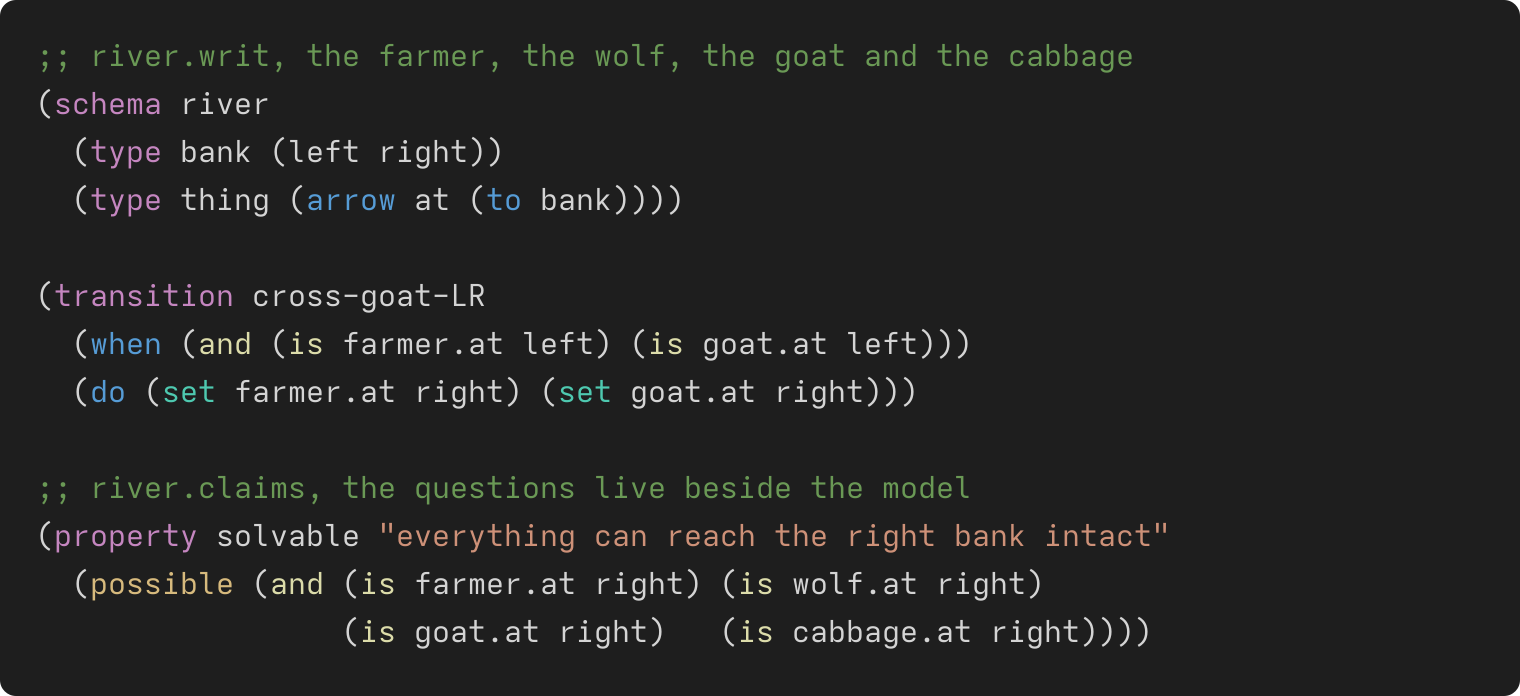
- Highlighting for
.writmodels,.claimsquestions and.rulesderivations. - Live diagnostics, outline, hover and completion from the real checker.
- Check this file (
Ctrl+K Ctrl+Enter) runswrit checkwith the sibling.claimsattached. Show a Situation…, Answer a Relation… and Compare With Another Model… runwrit show,writ deriveandwrit comparein a terminal. - A Writ panel in the Activity Bar shows which writ you are talking to and whether the engine and extension are in step, with a button to fix it if not.
The extension needs writ-lsp, which every writ install provides — a
release tarball,
opam pin add writ git+https://github.com/writ-lang/writ.git, or
make install-writ in a writ checkout. Then, from this repository:
$ ./install.sh # links the extension and checks the server answersReload the window and open a .writ file; there is nothing to configure. Or
build a package and install that:
$ scripts/package-extension.sh
$ code --install-extension writ-0.1.0.vsixwrit.serverPath — where the server is. The default finds a checkout's own
build in an open workspace folder, then falls back to writ-lsp on PATH.
writ check is the authority. If the editor disagrees with it, or shows no
diagnostics, open the Writ panel: it says whether the server is missing, stale
or from a different version. The output channel "Writ Language Server" shows
which server was launched. ./install.sh --uninstall removes a linked install.
Developing the extension: DEVELOPING.md. License: AGPL-3.0 or later, like writ (LICENSE).