





UnderAutomation.UniversalRobots is a fully managed .NET SDK that communicates with Universal Robots cobots (CB-Series, e-Series and the newer models, PolyScope and PolyScope X) through the standard interfaces of the controller: RTDE, Primary Interface, Dashboard Server, REST API, XML-RPC, sockets, Interpreter Mode, SSH and SFTP. It also computes the forward and inverse kinematics offline. No URCap and no option is needed on the robot.
It works with real robots and with the URSim simulator.
- Product page: underautomation.com/universal-robots
- Documentation: underautomation.com/universal-robots/documentation
- Also available for Python, LabVIEW and Unity
Introduction video:
Universal.Robots.communication.SDK.mp4
- RTDE: read the robot data and write inputs and registers, at up to 500 Hz.
- Primary Interface: send URScript commands, read the robot state about 10 times per second, read the global variables of the program.
- Dashboard Server (PolyScope) and REST API (PolyScope X): power, brakes, programs and robot state.
- XML-RPC: answer the function calls of a URScript program from your .NET code.
- Socket communication: exchange messages with a URScript program.
- Interpreter Mode: send URScript lines to a running program.
- SSH and SFTP: run commands on the controller, upload, download and delete files.
- Kinematics: forward and inverse kinematics for every UR model, without connection.
- Files: read
.urpprograms,.installationfiles and archives.
The release page of this repository gives ready-to-run applications. Their source code is in this repository.
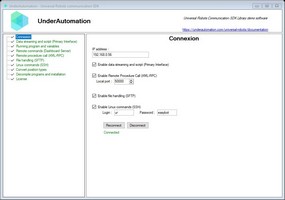
UnderAutomation.UniversalRobots.Showcase.Forms shows every
feature of the SDK. A Visual Basic version is in
UnderAutomation.UniversalRobots.Showcase.Forms.vb.
Download: UnderAutomation.UniversalRobots.Showcase.Forms.exe (all releases)
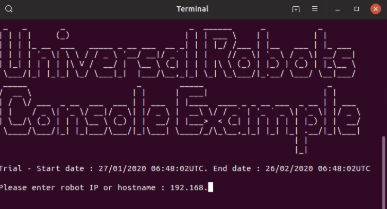
UnderAutomation.UniversalRobots.Showcase.Console is
built for 6 platforms. Each file runs alone, without the .NET runtime installed. Use it to try the SDK on
Linux, macOS or an ARM board without writing code.
| OS | Architecture | Download |
|---|---|---|
| Linux | ARM | UnderAutomation.UniversalRobots.Showcase.Console.linux-arm |
| Linux | x64 | UnderAutomation.UniversalRobots.Showcase.Console.linux-x64 |
| macOS | ARM64 | UnderAutomation.UniversalRobots.Showcase.Console.osx-arm64 |
| macOS | x64 | UnderAutomation.UniversalRobots.Showcase.Console.osx-x64 |
| Windows | x64 | UnderAutomation.UniversalRobots.Showcase.Console.win-x64.exe |
| Windows | x86 | UnderAutomation.UniversalRobots.Showcase.Console.win-x86.exe |
On Linux and macOS, make the file executable first (chmod +x <file>).
dotnet add package UnderAutomation.UniversalRobotsOr with the NuGet Package Manager console:
Install-Package UnderAutomation.UniversalRobots
You can also download UnderAutomation.UniversalRobots.zip from the releases page. It contains one folder per target framework. On Windows, unblock the zip file before you extract it (right-click, "Properties", "Unblock"), then reference the DLL of your framework.
using UnderAutomation.UniversalRobots;

// The SDK runs in trial mode for 30 days. Register your key to remove the trial limit.
UR.RegisterLicense("Your Company", "your-license-key");

var robot = new UR();

var parameters = new ConnectParameters("192.168.0.1");
parameters.Dashboard.Enable = true;
parameters.PrimaryInterface.Enable = true;

robot.Connect(parameters);

Console.WriteLine(robot.Dashboard.GetRobotMode().Value);

robot.Disconnect();
Enable only the interfaces you need in ConnectParameters: Rtde, PrimaryInterface, Dashboard,
Rest, XmlRpc, SocketCommunication, InterpreterMode, Ssh.
Read the robot data and write inputs at up to 500 Hz.
var robot = new UR();

var parameters = new ConnectParameters("192.168.0.1");
parameters.Rtde.Enable = true;
parameters.Rtde.Frequency = 500; // Hz

// Data written to the controller
parameters.Rtde.InputSetup.Add(RtdeInputData.StandardAnalogOutput0);
parameters.Rtde.InputSetup.Add(RtdeInputData.InputIntRegisters, 0);

// Data sent by the robot
parameters.Rtde.OutputSetup.Add(RtdeOutputData.ActualTcpPose);
parameters.Rtde.OutputSetup.Add(RtdeOutputData.ToolOutputVoltage);
parameters.Rtde.OutputSetup.Add(RtdeOutputData.OutputDoubleRegisters, 10);

robot.Connect(parameters);

// Raised for each sample
robot.Rtde.OutputDataReceived += (sender, e) =>
    Console.WriteLine(robot.Rtde.OutputDataValues.ActualTcpPose);

// Write inputs
var inputValues = new RtdeInputValues();
inputValues.StandardAnalogOutput0 = 0.2;
inputValues.InputIntRegisters.X0 = 12;
robot.Rtde.WriteInputs(inputValues);Send URScript commands and read the robot state about 10 times per second.
robot.PrimaryInterface.Script.Send("movej([-1.5,-1.5,-2,-0.5,1.8,0], a=1.4, v=1.05)");

double x = robot.PrimaryInterface.CartesianInfo.TCPOffsetX;
double shoulderSpeed = robot.PrimaryInterface.JointData.Shoulder.ActualSpeed;

// Global variables of the running program
GlobalVariable myVar = robot.PrimaryInterface.GlobalVariables.GetByName("myVar");
GlobalVariable[] variables = robot.PrimaryInterface.GlobalVariables.GetAll();Power, brakes and programs.
// PolyScope: Dashboard Server
robot.Dashboard.PowerOn();
robot.Dashboard.ReleaseBrake();
robot.Dashboard.LoadProgram("prg1.urp");
robot.Dashboard.Play();

// PolyScope X: REST API
robot.Rest.PowerOn();
robot.Rest.BrakeRelease();
robot.Rest.LoadProgram("prg1");
robot.Rest.Play();Computes the joint positions of a Cartesian pose, and the reverse, with an analytical algorithm. No connection is needed.
// Default DH parameters of a UR3e
IUrDhParameters dhParameters = KinematicsUtils.GetDhParametersFromModel(RobotModelsExtended.UR3e);

// Forward kinematics, joint angles in radians
KinematicsResult fkResult = KinematicsUtils.ForwardKinematics(new double[] { 0, -1.57, 1.57, 0, 0, 0 }, dhParameters);

// Inverse kinematics of a pose (x, y, z in m, rotation vector in rad)
var pose = new Pose(0.3, 0.1, 0.4, 0, 3.14, 0);
double[][] ikSolutions = KinematicsUtils.InverseKinematics(pose.FromRotationVectorTo4x4Matrix(), dhParameters);The URScript program calls a function:
rpc := rpc_factory("xmlrpc", "http://192.168.0.10:50000")
answer := rpc.GetPose(100)
Your .NET code answers:
robot.XmlRpc.XmlRpcServerRequest += (o, request) =>
{
    if (request.MethodName == "GetPose") request.Answer = new Pose(request.Arguments[0], 200, 100, 0, 0, 0);
};Exchange messages with a URScript program.
robot.SocketCommunication.SocketWrite("Hello, Robot!");
robot.SocketCommunication.SocketRequest += (sender, e) => Console.WriteLine(e.Message);Upload, download and delete files on the controller.
robot.Sftp.UploadFile("my-program.urp", "/programs/my-program.urp");
robot.Sftp.Delete("/programs/old-program.urp");Run shell commands on the controller.
robot.Ssh.RunCommand("echo 'Hello' > /home/ur/Desktop/NewFile.txt");The folder UnderAutomation.UniversalRobots.ObfuscatedSources
contains every public type and member of the SDK, with its XML documentation. The bodies of the methods
are replaced by "Source is hidden". Use it to:
- browse the public API and its documentation on GitHub;
- jump to a definition from your code editor;
- see the structure of the code that is delivered with a source license.
The source license gives the complete source code of the library, with the Visual Studio solution. See the license page of the documentation.
| Target framework | Supported |
|---|---|
| .NET 10.0 / 9.0 / 8.0 / 6.0 / 5.0 | yes |
| .NET Core 3.0 | yes |
| .NET Standard 2.1 / 2.0 | yes |
| .NET Framework 4.0 to 4.8 | yes |
| .NET Framework 3.5 | yes |
- Operating systems: Windows, Linux, macOS.
- No native dependency, no NuGet dependency (except
System.Text.Encoding.CodePagesfor .NET Standard 2.0). - Robots: UR3, UR5, UR10 (CB-Series), UR3e, UR5e, UR7e, UR10e, UR12e, UR16e (e-Series), UR8 Long, UR15, UR18, UR20, UR30, with PolyScope or PolyScope X, and URSim.
This SDK needs a commercial license. A 30-day trial starts at the first use, no key needed.
- License agreement: underautomation.com/universal-robots/eula and License.md
- Trial, license key and source license: underautomation.com/universal-robots/documentation/license
- Prices and quote: underautomation.com/universal-robots
- Documentation: underautomation.com/universal-robots/documentation
- Issues: GitHub Issues
- Contact: underautomation.com/contact