A BPMN diagram editor you can drop into any page — agnostic of UI framework and backend, built on @maxgraph/core.



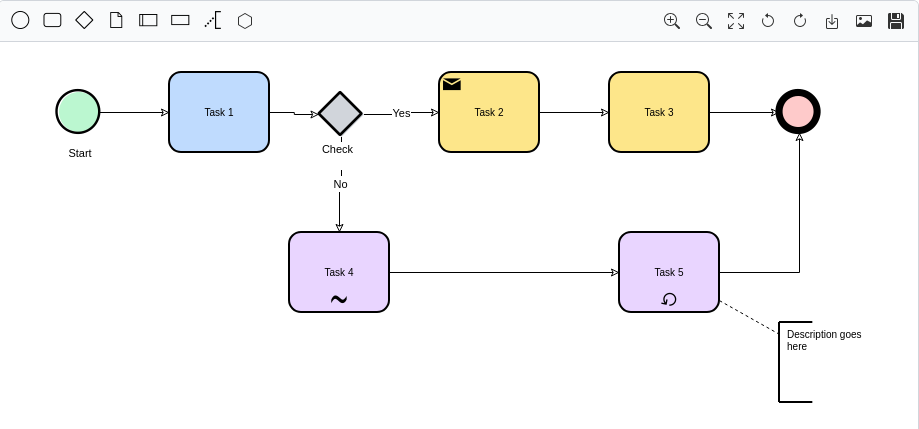
@sourcentis/bpmn-editor is agnostic of UI framework and backend — it
doesn't assume React/Vue/Angular, and it doesn't assume a server. But it is
not dependency-free: it's built on @maxgraph/core, its rendering
engine, which is a peer dependency you install alongside it.
Everything backend-shaped (loading a catalogue of objects to link to,
saving to a server) is expressed as small, optional TypeScript interfaces
("ports") that you implement. Provide none of them and the editor still
works fully standalone: draw, import a .bpmn/XML file, export it back
out.
- Full BPMN-ish drawing surface: tasks, states/events, gateways, data objects/stores, lanes, activities groups, annotations, conversations, sequence/message/conditional/default flows — drag-and-drop from a palette, connect, recolor, rotate, undo/redo.
- Import / export
.bpmn/XML files — works with zero backend. - Export to SVG, with the BPMN icon font embedded.
- Read-only "viewer" mode for embedding diagrams without editing.
- Two integration levels: a batteries-included default toolbar, or canvas-only so a host application can drive everything with its own UI.
- Optional backend ports for linking to external objects and saving/loading against your own API.
- i18n-ready: every user-facing string is overridable.
- Self-contained and CSP-safe: no extra assets to host, no inline
event handlers, no
eval.
npm install @sourcentis/bpmn-editor @maxgraph/core@maxgraph/core is a peer dependency — install it explicitly alongside the
editor.
After npm install, your bundler resolves the imports below from
node_modules automatically:
<div id="editor" style="height: 640px;"></div>

<script type="module">
  import { createBpmnEditor } from '@sourcentis/bpmn-editor';

  const editor = createBpmnEditor(document.getElementById('editor'), {
    ui: 'default',
  });
</script>
That's it — a complete BPMN editor with a toolbar, drag-and-drop palette, undo/redo, and import/export.
The snippet above uses a bare specifier ('@sourcentis/bpmn-editor',
not a ./ path) — browsers can't resolve that on their own, only a
bundler can. For a plain HTML page, add an
import map
before your script instead:
<script type="importmap">
{
  "imports": {
    "@maxgraph/core": "https://esm.sh/@maxgraph/core@0.21.0",
    "@sourcentis/bpmn-editor": "./node_modules/@sourcentis/bpmn-editor/dist/bpmn-editor.js"
  }
}
</script>
<div id="editor" style="height: 640px;"></div>

<script type="module">
  import { createBpmnEditor } from '@sourcentis/bpmn-editor';

  const editor = createBpmnEditor(document.getElementById('editor'), {
    ui: 'default',
  });
</script>
Then serve the page over http(s) — npx serve, python -m http.server, or
similar (browsers block ES module imports from file://). See
examples/editor.html for a complete, runnable
version of this setup: clone this repo, then
npm install && npm run build && npm run serve.
📖 sourcentis.github.io/bpmn-editor
— usage guide, two live/runnable examples (editor and read-only viewer),
backend integration (BpmnObjectProvider / BpmnPersistence), i18n, and
the full API reference.
🚀 Try it live — the editor running full-screen in your browser, no install needed.
See CONTRIBUTING.md for build commands and the principles to follow when changing the core.
GPL-3.0 — see LICENSE.