


A Java Android screen mirroring example using MediaProjection for capture and MediaCodec for H.264 or VP8 encoding. It sends video over TCP or UDP to FFmpeg / FFplay, demonstrating the complete capture → encode → transmit path on Android 5.0 (API 21) and later, when a suitable Surface encoder is available.
Explore the project website for the demo, both projects, and a quick start.
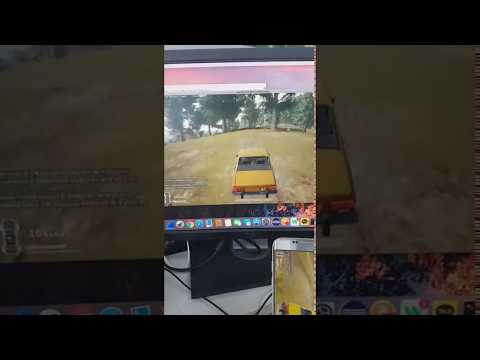

Click the thumbnail to watch the original project demo on YouTube, recorded with an earlier version.
- TCP + H.264, TCP + VP8, UDP + H.264, UDP + VP8; fixed receiver port 49152.
- H.264 uses a raw Annex B stream. VP8 uses IVF, not WebM.
- Video only: no audio. No custom server implementation or USB connection is required for Wi-Fi/LAN streaming.
- Each Start requests fresh Android screen-sharing consent. Stop in the app, notification, or system screen-sharing control ends the session.
- This is a developer example for trusted networks. The stream has no encryption or authentication; the receiver should bind only on a trusted interface and its firewall should restrict access.
- UDP is best effort: missing or reordered datagrams can corrupt video. Prefer TCP, especially for VP8/IVF.
Download the example debug APK and SHA256SUMS from Releases. Check the hash before installing:
# macOS
shasum -a 256 -c SHA256SUMS
# Linux
sha256sum -c SHA256SUMS
adb install -r AndroidScreenCaster-v0.2.0-debug.apk
Alternatively, transfer the APK to the phone and install it through Android's package installer. An APK built locally or in CI may have a different debug signature from a previous release. Do not uninstall an existing app just to bypass a signature error if you need its settings: build with its original signing key or use a separate test device.
Use JDK 17, Android SDK Platform 37.0, and Build Tools 36.0.0. The repository pins AGP 9.4.1 and Gradle 9.8.0 with a distribution checksum; it keeps Java and Groovy and has no runtime library dependencies.
git clone https://github.com/magicsih/AndroidScreenCaster.git
cd AndroidScreenCaster
# Set JAVA_HOME to your JDK 17 and ANDROID_HOME to your Android SDK.
sdkmanager 'platforms;android-37.0' 'build-tools;36.0.0'
./gradlew assembleDebug testDebugUnitTest lintDebug assembleDebugAndroidTest
adb install -r app/build/outputs/apk/debug/app-debug.apk
On Windows, use gradlew.bat. Android Studio can open the repository directly; set the Gradle JDK to 17. minSdk remains 21, compileSdk and targetSdk are 37, and the package remains com.github.magicsih.androidscreencaster.
-
Install FFmpeg on a computer and put the computer and phone on a network that allows them to communicate. Find the computer's LAN IP address, for example
192.168.1.10. -
On the computer, start the receiver before capture:
ffplay -f h264 'tcp://0.0.0.0:49152?listen=1' -
In ScreenCaster, enter the computer's address, select TCP, H264, and a resolution/bitrate. For an initial check, try 640×360 and 1 Mbps.
-
Tap Start. On Android 17+, allow local network access. Approve Android screen sharing; select entire screen if you want to switch between apps.
-
Open an app or move something on screen. FFplay should show the captured video. Tap Stop to disconnect. Start the receiver again before the next TCP session.
Allow incoming traffic on port 49152 for the selected protocol. Guest Wi-Fi, access-point client isolation, VPNs, and firewalls can block the connection even when both devices have internet access. Do not expose the receiver port to the public internet.
Use one receiver at a time. Quote the URLs so your shell does not interpret ? or &.
| App settings | Receiver command |
|---|---|
| TCP / H264 | ffplay -f h264 'tcp://0.0.0.0:49152?listen=1' |
| TCP / VP8 | ffplay -f ivf 'tcp://0.0.0.0:49152?listen=1' |
| UDP / H264 | ffplay -f h264 'udp://@:49152?fifo_size=65536' |
| UDP / VP8 | ffplay -f ivf 'udp://@:49152?fifo_size=65536' |
UDP receivers must be listening before capture starts, so they receive the initial codec/container header. IVF carries microsecond presentation timestamps. With FFmpeg output, use -fps_mode passthrough to retain the received frame timing instead of synthesizing a constant frame rate.
To record H.264 over TCP without re-encoding:
ffmpeg -f h264 -i 'tcp://0.0.0.0:49152?listen=1' -an -c:v copy capture.mkvTo save the VP8 IVF stream:
ffmpeg -f ivf -i 'tcp://0.0.0.0:49152?listen=1' -an -c:v copy -fps_mode passthrough capture.ivfSee the validation report for exact Android versions, codec names, decoded frame counts, lifecycle tests, and remaining limits. CI verifies the build, unit tests, lint, and device-test APK compilation. Runtime and decoded-video checks are recorded separately; a green build alone does not establish streaming behavior. No end-to-end latency claim is made.

The screenshot is an API 37 emulator at 480×800. Its 127.0.0.1 receiver address uses the optional ADB forwarding setup below.
For browser playback, run the companion AndroidScreenCasterWeb server. It receives the existing APK's TCP/H.264 stream and uses FFmpeg and MediaMTX to deliver WebRTC video to a browser. Start it with Docker Compose, then follow its setup instructions. See the companion validation report for actual device/browser checks and limits. Both examples are intended for trusted networks and transmit video only.
Does this play directly in a browser? A browser cannot consume this raw TCP/UDP stream directly. The optional AndroidScreenCasterWeb companion provides a TCP/H.264 → WebRTC gateway. The Android app itself keeps its existing raw streaming format.
Do I need a client and a custom server? Install the Android APK as the sender. FFplay or FFmpeg is the receiver; no server application needs to be compiled.
Is USB required? No. The app normally connects to a receiver over the network. USB/ADB is optional for installation and development.
Connection fails or times out. Confirm the receiver is listening, the IP is reachable, the protocol matches, and the firewall allows port 49152. The app ends a connection attempt after about five seconds. On Android 17+, check the Nearby devices/local-network permission.
“Address already in use” on macOS. A system service can occupy TCP 49152. Use a receiver computer where the port is free. For an optional USB development check, forward the phone's TCP port to a different local receiver port:
adb reverse tcp:49152 tcp:49153
ffplay -f h264 'tcp://127.0.0.1:49153?listen=1'
# In the Android app, enter 127.0.0.1 and select TCP/H264.
# Remove only this mapping when finished:
adb reverse --remove tcp:49152
No Surface encoder supports the settings / encoder fails. Supported Surface input, sizes, and bitrates are device dependent for both codecs. The API 21 software-only emulator tested here cannot encode H.264 at the offered sizes; VP8 works there. Try H.264 or a smaller resolution/bitrate. The app selects an encoder by MIME type and Surface capability rather than assuming a particular vendor codec.
Receiver is too slow / queue limit reached. The sender limits queued video to 2 MiB and 120 packets, including a write in progress. It ends capture when video is delayed too long instead of silently accumulating latency. Reduce resolution/bitrate or improve the network.
Black bars after rotation. The selected output resolution stays fixed for the session. Android may fit the captured screen into it with letterboxing. The existing display is retained; a second virtual display is not created from the same consent token.
Capture stopped when the screen locked. Newer Android versions stop screen sharing on lock or from the system sharing control. This app releases the resources and requires a new Start/consent; it does not restart automatically.
No notification on Android 13+. Allow notifications in app settings to show the persistent notification and its Stop action. Capture can still be ended in the app or system screen-sharing control if notification permission is denied.
UDP playback breaks after packet loss. There are no sequence numbers, retransmissions, or recovery headers. VP8/IVF may fail for the remainder of the session if its header or frame boundaries are lost. Restart both ends or use TCP.
Read CONTRIBUTING.md and the Code of Conduct. Ask usage questions in Discussions, report reproducible defects with the bug form, and report vulnerabilities through SECURITY.md.
The original motivation was to replace an inefficient MJPEG screen-mirroring path in a mobile-game test automation system with hardware/media-codec encoding. The original project article and historical demo describe that earlier work; they are not validation of this release.
Alex Lugo (alugocp) proposed the namespace/build cleanup, explicit Activity export, executable wrapper, and removal of obsolete IDE/sample-test files in PR #13. This update independently applies those useful changes while retaining Android 5.0 support and using the current toolchain.
Project code is MIT licensed. IvfWriter.java derives from AOSP CTS and retains its Apache 2.0 notice; see THIRD_PARTY_NOTICES.md.