Skip to content
jackeownPublic

About

Monitor who's on your home network from the command line with Python.

Resources

Stars

5 stars

Watchers

1 watching

Forks

Latest commit


History

7 Commits

Folders and files

Repository files navigation

WhoIsHome

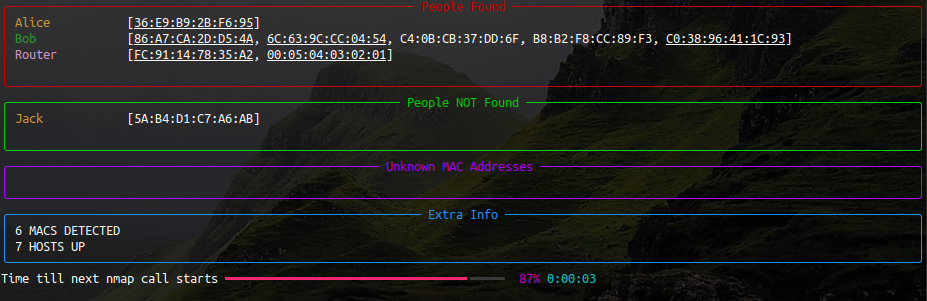
A simple Python CLI dashboard which uses nmap to help you keep track of who's on your network (made beautiful with the python library rich).


  1. Install nmap.

  2. Install using pip: pip install whoishome

  3. Add MAC addresses: whoishome --add Jack=DE:FA:CE:D1:23:45

  4. Learn more about how to use it: whoishome --help

  5. Run it: whoishome --subnet 192.168.0.1/24
About

Monitor who's on your home network from the command line with Python.

Resources

Stars

5 stars

Watchers

1 watching

Forks

Releases

Packages

Used by

Contributors

Languages