
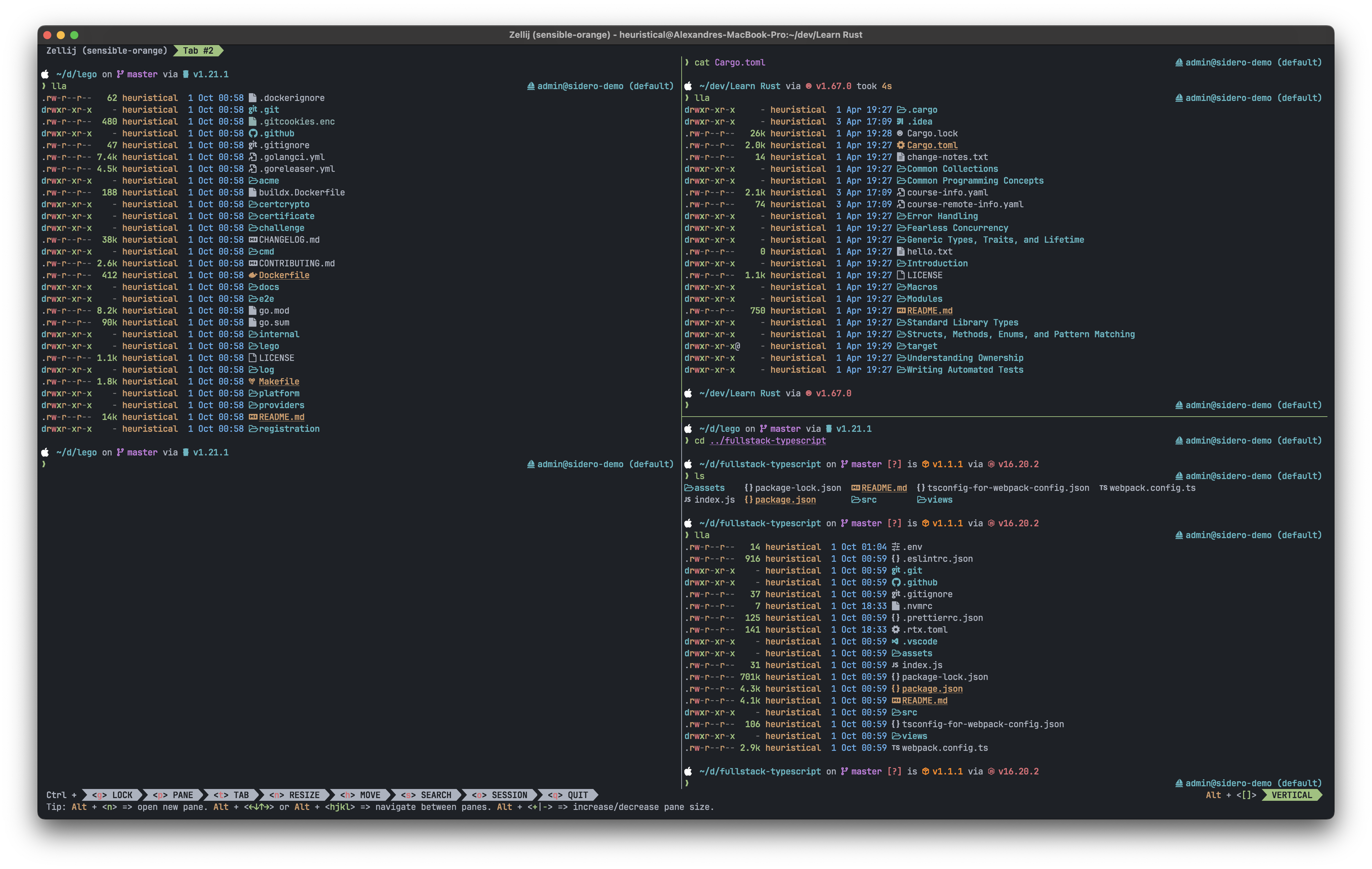
Migrating from the old dotfiles? run the following command to clean things up before you install:
rm -rf ~/.znap ~/.asdf ~/.dotfilesMake sure to backup your~/.ssh/configfile as we're now managing that as part of this repo.
In order to avoid any issues with rate limiting on the GH API, I recommend adding a personal access token to your shell env. You can do this by setting one of these env variables:
CHEZMOI_GITHUB_ACCESS_TOKENGITHUB_ACCESS_TOKENGITHUB_TOKEN
Note: I recommend using GITHUB_TOKEN as this is most compatible with other tools.
We're installing it to the
~/.local/bindirectory to accomodate as many Unix-style OSs as possible.
I recommend forking the repo into your own dotfiles repo and then using the below command to install chezmoi, clone the repo and apply it in one step.
Note: this one-liner assumes it is cloning a repo called
dotfilesfrom the user$GITHUB_USERNAME, make sure that's what you call your fork. Otherwise, please check thechezmoidocs for how to specify a different repo name.
sh -c "$(curl -fsLS get.chezmoi.io)" -- -b $HOME/.local/bin init --apply $GITHUB_USERNAMEAfter the source is available, the config template checks for required programs
before the first questionnaire; a remote init needs Git earlier, to clone the
source. Subsequent chezmoi apply runs perform the same
check before changing files. A missing prerequisite stops with a list to install:
Git for source/Git externals, /bin/bash for lifecycle scripts, curl for the
macOS Homebrew bootstrap, and apt, pacman, or dnf (plus sudo for non-root users)
when a Linux package-install hook applies. This checks executable availability,
not versions, connectivity, credentials or package-manager health. Tools installed
by the apply scripts (such as zsh, Starship and mise) are not preconditions.
On macOS, package hooks prefer Workbrew's managed
wrapper, /opt/workbrew/bin/brew,
then brew on PATH, then the standard Intel/Apple Silicon Homebrew path.
Existing installations are reused; the Homebrew installer runs only when no
selected installation exists. Initial package installs and package updates/upgrades
use the selected command without bypassing Workbrew. Workspace access and
formula/cask/tap policies still apply.
The required CLI dependencies (zsh, git, curl, jq, and unzip) must install
successfully before apply continues. Nushell, desktop casks (including ARM-only
Vorssaint), and third-party taps are optional: each is attempted independently,
and failures print warnings without blocking the remaining installs or apply.
The successful run_onchange hook does not automatically retry skipped optional
packages on an unchanged apply; install them manually after resolving the failure.
Linux provisioning selects a package manager from /etc/os-release's ID, then
ID_LIKE: Debian/Ubuntu and derivatives (such as Mint, Pop!_OS, and Kali) use apt;
Arch and derivatives (such as Manjaro and EndeavourOS) use pacman; Fedora and
modern RHEL-family systems (including Rocky and AlmaLinux) use dnf. DNF installs
the base tools and the provider of chsh needed by shell setup; either curl or
curl-minimal satisfies its curl requirement. Other distributions are allowed,
but must have the required tools provisioned separately; no package hook runs
for them. DNF-family systems without dnf need it installed before applying.
The apt hook refreshes package indexes before installation; the Arch hook uses
pacman -Syu to avoid partial upgrades. Both stop on package-manager errors.
The default-shell hook makes zsh the account's login shell. It never fails the
apply: problems print a yellow warning with the manual fix. The hook is skipped
when the configured login shell (from getent passwd on Linux, dscl on macOS)
already is a working default or saved zsh. Otherwise it lists every working zsh with its version
and asks which one to use if there are several. The default is Homebrew's zsh on
macOS and the package-manager zsh on Linux.
-
Local accounts (in
/etc/passwd) and macOS usechsh -s, after adding the chosen path to/etc/shellsif it is missing. -
SSSD accounts (
sssin/etc/nsswitch.confandsssdactive) cannot usechsh. The hook writes a root-owned, mode 600/etc/sssd/conf.d/50-chezmoi-shell.conf, runssss_cache -E, restartssssd, and checks the result withgetent./etc/sssd/sssd.confis never edited. Each step asks for confirmation:default_shellin your domain's[domain/<name>]section. It affects only users of that domain whose directory entry has no shell, and outranks adefault_shellset insssd.conffor that domain. The domain comes from the[domain/...]sections of the root-only SSSD configuration, or fromrealm list,klistordefault_realmin/etc/krb5.conf. Each candidate is confirmed withgetent passwd "$USER@<domain>". If your account matches more than one domain, nothing is changed.- If that has no effect because the directory sets a shell (which takes
precedence over
default_shell):override_shellin the same[domain/<name>]section. It replaces the shell of every user in that domain, including users whose directory entry sets one. Users of other SSSD domains and local accounts are unaffected. - Only if the domain cannot be found in the SSSD configuration:
[nss] override_shell, which changes the shell of every SSSD user of every domain on the machine.
Before each sudo call the hook prints why it needs root (reading the SSSD configuration, adding the shell to
/etc/shells, writing the snippet, restartingsssd), and the sudo password prompt repeats the reason. A denied sudo stops with one warning. Ifsssctl config-checkfails,sssdfails to restart, orgetentdoes not show the new shell, the hook puts back the previous snippet (or removes its own) and restartssssd. Only a clean restart where the shell did not change is recorded as "no effect". Without a terminal, the hook does not ask for confirmation. It applies an SSSD step unattended only when an earlier interactive run saved "yes" for it, and sudo then needs no password. -
Other directories (LDAP/nslcd, winbind, OS Login, ...) are left unchanged, with a warning only.
Answers are saved in ${XDG_STATE_HOME:-~/.local/state}/chezmoi/default-shell:
zsh_path=, sssd_default_shell=yes|no|ineffective,
sssd_domain_override=yes|no and sssd_override=yes|no. Later applies do not
ask again, and ineffective skips straight to the per-domain override_shell
question.
A saved zsh that no longer runs is ignored. To be asked again, delete the line
or the file. Because run_onchange hooks rerun only when their rendered content
changes, also run
chezmoi state delete --bucket=entryState --key="$HOME/.chezmoiscripts/100-set-zsh-default-shell.sh"
so the next apply runs the hook again.
Run the isolated regression checks with
python3 -m unittest discover -s tests -v.
The Homebrew wrapper, Oh My Zsh brew plugin, and brew-bump/brew-cleanup
helpers are enabled only on macOS. Applying on other platforms removes any
previously installed copies of those two helper scripts; it does not remove
Homebrew itself.
The airport/afk aliases, macOS defaults script, and Oh My Zsh macos/iterm2
plugins are also enabled only on macOS. Chezmoi templates select platform-specific
content before installation; these files do not probe uname at shell startup.
Vorssaint is installed only on ARM64 (Apple Silicon) macOS; Intel Macs skip it.
The obsolete fix-internet, flush-dns, restart-audio, and dotinstall helpers
# Update the destination directory to match the target state
chezmoi apply

# Update the destination directory and refresh external files manually
chezmoi apply -R

# Update the destination directory and refresh the init files `promptStringOnce`, etc.
chezmoi apply --init

# Print the diff between the target state and the destination state
chezmoi diff

# Pull and apply any changes
chezmoi update

# Upgrade chezmoi to the latest released version
chezmoi upgrade

# Launch a shell in the source directory
chezmoi cdOn macOS/Linux, mise installs Bun, OMP, and
Pi from the managed conf.d/tools.toml
inventory. The global mise setting
npm.package_manager = "bun" selects Bun for all mise-managed npm: tools.
It does not alias npm or change application projects' package managers.
Pi uses npm:@earendil-works/pi-coding-agent (command pi), the successor to
the deprecated @mariozechner/pi-coding-agent package. Pi, OMP, and Herdr are
exempt from the default seven-day minimum release age.
The chezmoi provisioning hook runs mise install when the managed configuration
changes. Existing mise shell activation exposes bun, omp, and pi; no separate
Bun-global installation or PATH entry is needed.
mise exec -- omp --version
mise exec -- pi --version
# Explicitly upgrade the selected tools:
mise upgrade bun 'npm:@oh-my-pi/pi-coding-agent' 'npm:@earendil-works/pi-coding-agent'Atuin is installed through mise and initialized after the Zsh history plugins.
It tracks latest, except on Intel Macs where it is pinned to 18.10.0, the last
version supported there by mise's Aqua registry. Atuin is exempt from the
seven-day minimum release age.
During chezmoi init (or chezmoi init --source <source-directory> for an
existing checkout), the config template asks whether to sync history, defaulting
to no. If enabled, it asks for the sync server URL, defaulting to
https://api.atuin.sh. The answers are saved locally as atuin_sync and
atuin_sync_address; run chezmoi apply after changing them. Zsh sets
ATUIN_CONFIG_DIR to use the managed ~/.config/atuin/config.toml across Atuin
versions.
On supported versions, Atuin uses search_mode = "daemon-fuzzy" with its daemon
and automatic startup. On Linux and Apple Silicon macOS, Zsh explicitly
initializes PTY proxy at the top of
.zshrc, after mise activation in .zshenv and before plugins. Regular history
initialization stays after the plugins. Nu similarly sources its generated
proxy initialization near the top of config.nu, before regular Atuin hooks.
Its env.nu sets the managed config directory and mise shims on PATH.
Output recording remains disabled. AI is explicitly disabled in the supported
versions' config, and Zsh passes --disable-ai to omit the AI key binding.
Native Windows gets daemon autostart but omits the unsupported PTY proxy.
Intel Macs retain the 18.10.0 pin and omit these settings: that version has the
legacy daemon but lacks daemon-fuzzy and daemon.autostart (added in 18.13.0)
and config-driven PTY proxy initialization (added in 18.19.0). Enable these only after updating
the Intel installation to a compatible release. Verify the platform/version
guards with python3 tests/atuin/test_config.py.
The 107-init-atuin hook regenerates Nu's proxy and history scripts on each
apply after tool installation. They live in ~/.local/share/atuin/init, outside
Nu's autoload directories, so they are sourced only once. Optional parse-time
sourcing handles missing files on a fresh or partial apply (Nu 0.102+).
Intel Macs omit the new shell integration: proxy support is unavailable, and
Atuin 18.10.0's generated Nu history script uses a job spawn -t flag that current
Nu rejects. Existing Zsh history integration is retained.
The apply wrap-up prints registration, login, and first-sync commands when sync is enabled. Atuin handles account setup through its own prompts or browser flow; chezmoi does not store credentials or pass them as command arguments. Existing chezmoi configurations without these settings default to local history; edit the local chezmoi config or re-run initialization to opt in.
Starship, Delta, Helix, and .NET SDKs are managed by mise on macOS and Linux.
On Intel Macs, Delta uses mise's cargo:git-delta backend to build with the
managed Rust toolchain because current upstream releases lack Intel macOS
binaries. Other platforms use the normal Delta binary backend. Both Delta and
Starship track latest under the default seven-day minimum release-age policy.
They are no longer in the Homebrew inventory; existing Homebrew installations
are left untouched.
After the platform's tools are installed, a separate hook runs on every apply
to generate ~/.local/share/nushell/vendor/autoload/starship.nu, restoring it
if deleted even when the mise installation hook is cached. It invokes
mise exec -- starship init nu on both macOS and Linux. Starship is not executed
while chezmoi renders templates, so it need not exist before the first apply.
The mise hook also creates ~/.claude before initializing RTK's global integration.
The managed Worktrunk config changes only worktree-path. Repositories under
the configured personal code folder use <personal>/.worktrees/<repo>/<branch>;
work profiles use <work>/.worktrees/<repo>/<branch> for their work code folder.
For example, ~/dev/repo1 on feature/search gets a worktree at
~/dev/.worktrees/repo1/feature-search, while ~/work/repo1 uses
~/work/.worktrees/repo1/feature-search when ~/work is the configured work folder.
Nested repositories use the same code-folder root. Repositories outside both
configured folders retain Worktrunk's default sibling layout. Branch names use
Worktrunk's sanitize filter, and invoking it from an existing worktree still
uses the primary repository's location. Hosts without a work profile need no
work-folder setting. Verify with python3 tests/worktrunk/test_config.py.
Chezmoi's 106-install-herdr-plugins hooks invoke herdr plugin install --yes
after Herdr is available. On macOS/Linux, the hook runs through mise after tool
installation. On Windows, a native .cmd hook uses Herdr from PATH.
The installation inventory lives in .chezmoidata/herdr.yaml: Unix installs
gitview, Git Status, resurrect, plugin manager, and Worktrunk; Windows installs
Git Status, resurrect, and the Windows Worktrunk fork.
Herdr owns its generated plugins.json, plugin checkouts, and plugin config/state
directories. Chezmoi no longer manages that registry or overwrites unrelated
local registrations. The run_onchange hooks run on the first apply and whenever
the rendered inventory changes; reinstall a plugin with Herdr to refresh it.
macOS/Linux use devashish2203/herdr-worktrunk (worktrunk); Windows uses
giard-alexandre/herdr-worktrunk-windows
(worktrunk.windows). Both use their repository's default branch, without a
--ref argument. The Worktrunk shortcuts (prefix+shift+g and prefix+shift+d)
resolve to the selected plugin's open-with-remotes and remove actions.
Native plugin builds require Rust/Cargo and a C linker. The Unix tool/package
hooks supply Rust, jq, build prerequisites, and the checksum tools used by gitview;
macOS needs the Xcode Command Line Tools used by Homebrew. On Windows, have
Herdr, Git, Rust/Cargo with its Windows linker/toolchain, and Node available on
PATH before applying. Windows Worktrunk additionally requires Herdr 0.8.0+,
Worktrunk 0.60.0+ (git-wt), fzf, and Windows PowerShell 5.1+.
Reload Herdr after applying the configuration.
The home-directory ~/.gitignore excludes .pi coding-agent configuration/state,
.scratch exploratory files, and .ralph autonomous-agent loop artifacts at
any depth. The managed Git config uses it through core.excludesfile.
- zsh: shell of choice.
- chezmoi: used to manage these dotfiles and apply updates.
- mise: install and manage multiple devtools versions (think
nvm, but good and for almost all tools). - alacritty: terminal emulator of choice.
- Ghostty: terminal configured with the One Double Dark theme in
~/.config/ghostty/theme.config. - krew: kubectl plugins manager.
- k9s: kubectl TUI.
- bat: cat but modern.
- eza: ls clone, but modern, with colors and with icons.
- helix: nvim but simple and rust-based.
- Hanlde Windows installs?
- Krew
- Starship
Some of these files were directly inspired by budimanjojo's dotfiles