
A HACS custom integration (not part of Home Assistant Core) to connect and poll data directly from Omron Bluetooth Low Energy (BLE) blood pressure monitors and weight scales.
English | 한국어


| Device | Model |
|---|---|
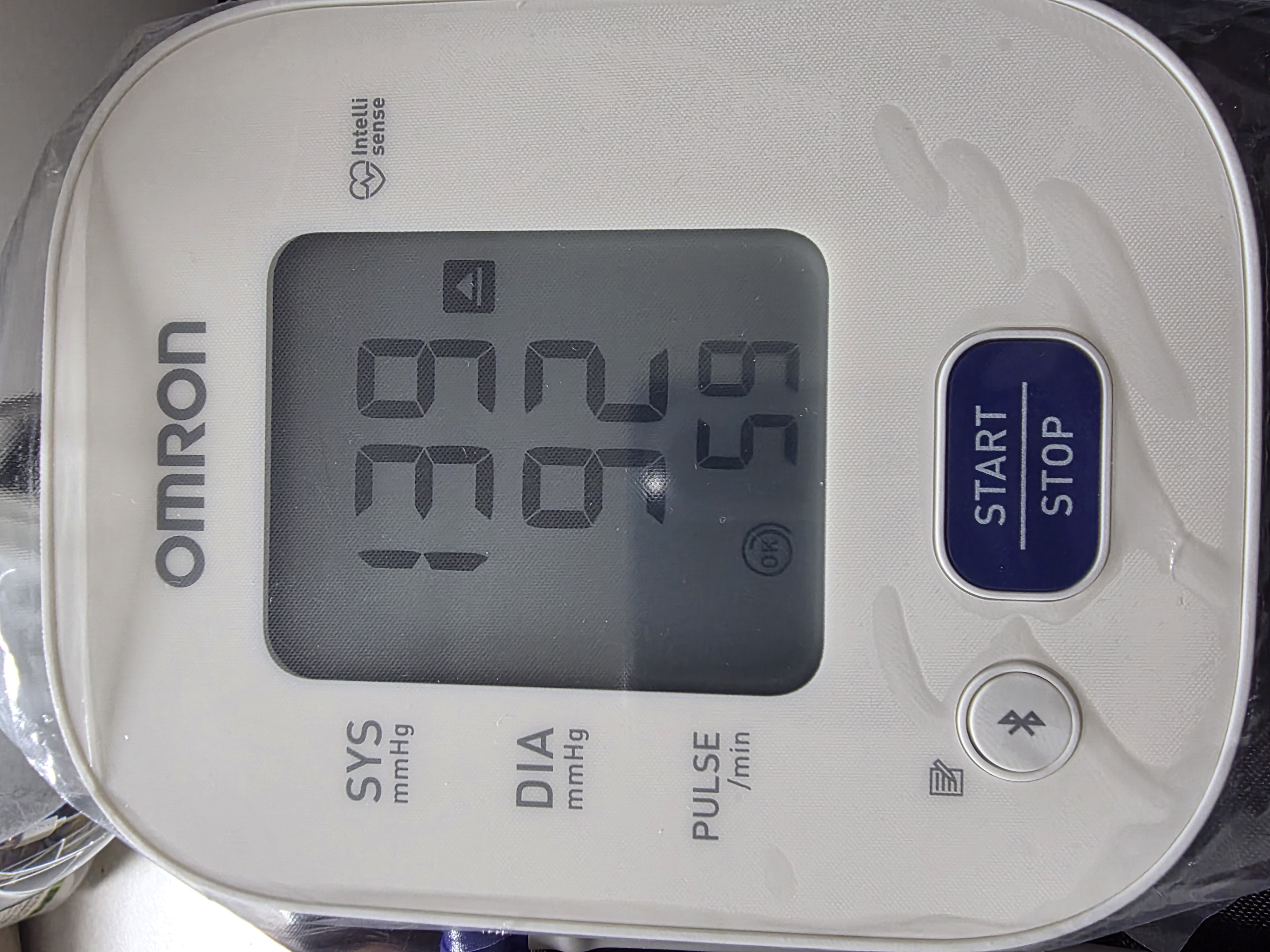 |
HEM-7142T2 |
| Model | Global Model | Type | Verified |
|---|---|---|---|
| HEM-6161T | RS2 Intelli IT | Wrist | ✅ |
| HEM-6232T | BP6350/RS7 Intelli IT | Wrist | ✅ |
| HEM-7142T2 | BP7150/M2 Intelli IT / U705T (China) | Upper Arm | ✅ |
| HEM-7146T2 | X2 Smart+ | Upper Arm | ✅ |
| HEM-7151T | BP5250/M3 Comfort | Upper Arm | ✅ |
| HEM-7155T | BP7350/M4 Intelli IT | Upper Arm | ✅ |
| HEM-7156T | BP7250 | Upper Arm | ✅ |
| HEM-716BT2 | BP5255/M4 Smart | Upper Arm | ✅ |
| HEM-7188T1 | M2+ / X2+ Connect | Upper Arm | ✅ |
| HEM-7320T | BP7450/M7 Intelli IT | Upper Arm | ✅ |
| HEM-7322T | BP786/M6 Intelli IT | Upper Arm | ✅ |
| HEM-7343T | BP5450/Platinum Series | Upper Arm | ✅ |
| HEM-7374T1 | U738T (China) | Upper Arm | ✅ |
| HEM-7380T1 | M7 Intelli IT AFib / X7 Smart AFib | Upper Arm | ✅ |
| HEM-7382T1 | BP5465 | Upper Arm | ✅ |
| HEM-7530T | BP7900/Complete | Upper Arm | ✅ |
| HEM-7600T | BP7000/EVOLV | Upper Arm | ✅ |
| HN-300T2 | HN-300T2 | Scale | ✅ |
| HBF-222T | VIVA / BCM-500 | Scale | ✅ |
- HN-300T2: weight and BMI calculated from your configured height.
- HBF-222T: weight, body composition, scale-reported BMI, and stored measurement history.
Note
Other Omron BLE devices might work by selecting a similar model during setup, but have not been formally tested. If your device does not work, please share Home Assistant debug logs and, if possible, a Bluetooth stack log from your phone.
Home Assistant 2025.12.0 or newer (see hacs.json) and a Bluetooth adapter or ESPHome Bluetooth proxy (a Bluetooth proxy is strongly recommended for connection stability and range).

- HACS: With HACS installed, open HACS, search for Omron, open the integration, and download it. This integration is included in the default HACS repository list, so no custom repository is needed.
Manual: Alternatively, copy the
custom_components/omrondirectory into your Home Assistantcustom_componentsfolder. - Restart Home Assistant.
Device setup and pairing are done entirely through the Home Assistant UI.
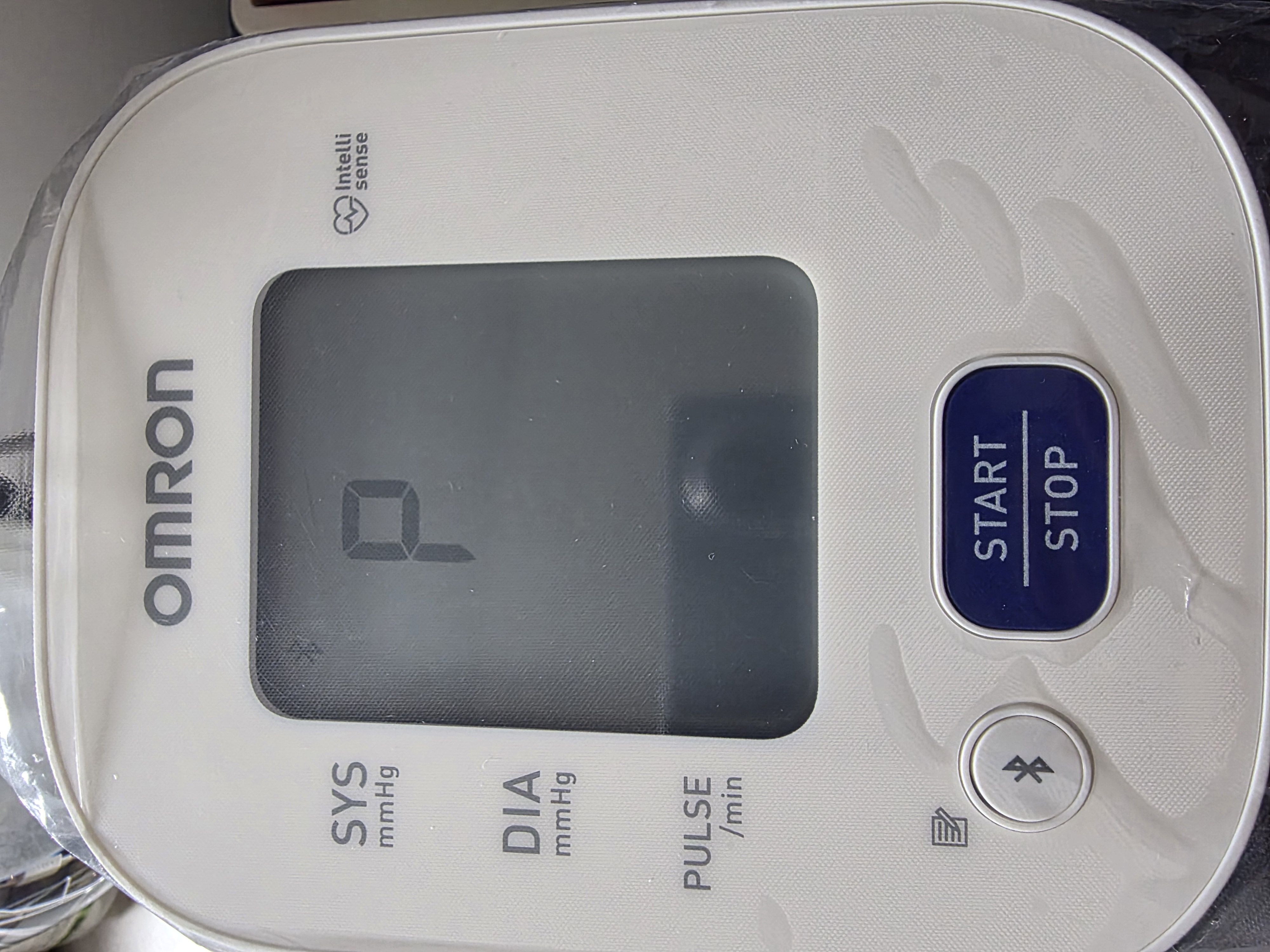
- Enter Pairing Mode:
- On your Omron blood pressure monitor, press and hold the Bluetooth button (or the respective connection button depending on your model) for 3-5 seconds.
- The display should show a blinking
-P-symbol. This means the device is ready to pair.
- Add Integration:
- In Home Assistant, go to Settings > Devices & Services.
- Home Assistant should automatically discover the "Omron" device via Bluetooth. Click Configure.
- If it wasn't auto-discovered, click Add Integration and search for "Omron".
- Select Your Model:
- Select your exact Omron model from the dropdown list.
- Finalize Pairing:
- Make sure
-P-is still blinking on the monitor. - Click Submit in Home Assistant.
- HA will securely perform the pairing sequence (programming its pairing key or performing OS-level bonding).
- The monitor screen will display an
[OK]symbol when successful.
- Make sure
Recommended ESPHome Bluetooth proxy configuration (keep the default scan interval):
esp32_ble_tracker:
  scan_parameters:
    active: true

bluetooth_proxy:
active: true- One paired host at a time: Omron blood pressure monitors only support one paired device at a time. If you have already paired your monitor with the official Omron Connect smartphone app, you must unpair/forget the device from your phone's Bluetooth settings before connecting it to Home Assistant. Using both simultaneously is not supported by the hardware.
- Bluetooth proxy requirements:
bluetooth_proxymust always haveactive: true, andscan_parametersshould remain at default intervals. For hardware recommendations, see Great ESP32 Board for an ESPHome Bluetooth Proxy. Proxy setup, recommended devices and the connection-problem checklist: Bluetooth proxy setup. Model-specific wake/pairing conditions, error-by-error fixes, and diagnostics (Last Failure,Duration) are in Troubleshooting. - Unverified models: Models not marked in the Supported Models table are unverified.
- Entities, categories and polling behavior
- Troubleshooting
- Capturing Bluetooth logs
- HEM-7374T1 notes
- Body composition scale notes
- HN-300T2 memory map
- Roadmap
- Development and tests
- Reference: omblepy (userx14)
- Issues: Report bugs or request features.
- Discussions: Ask questions and share your experience.
- blesession: Shared BLE sessions and Bluetooth proxy guidance used by this integration.
- omblepy: Reference implementation for Omron BLE communication.
Released under the MIT License.