





Open any app, even with a typo. Find your files. Get back anything you copied.
Install · Website · Docs · Releases · Become a Supporter
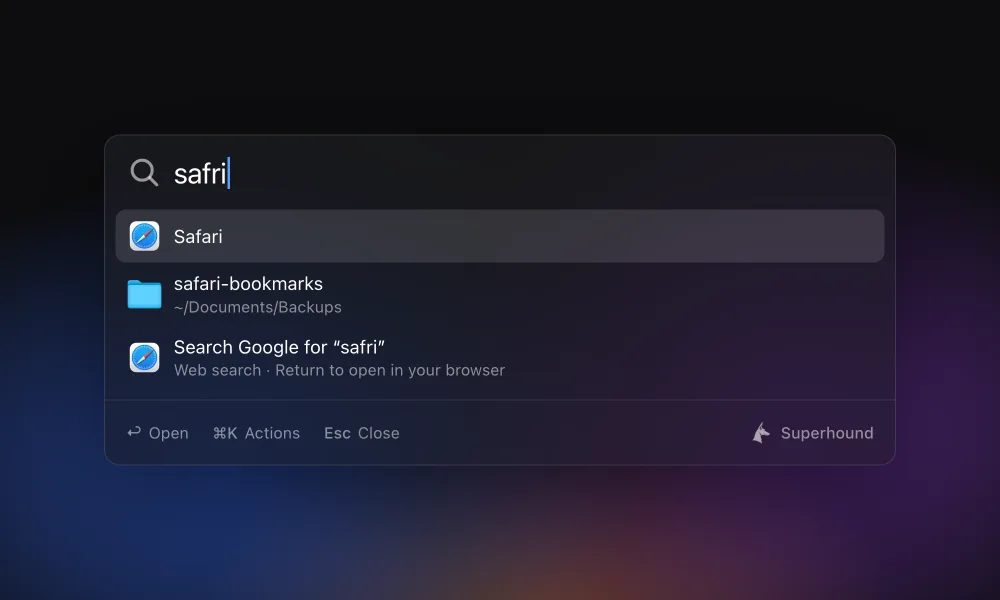
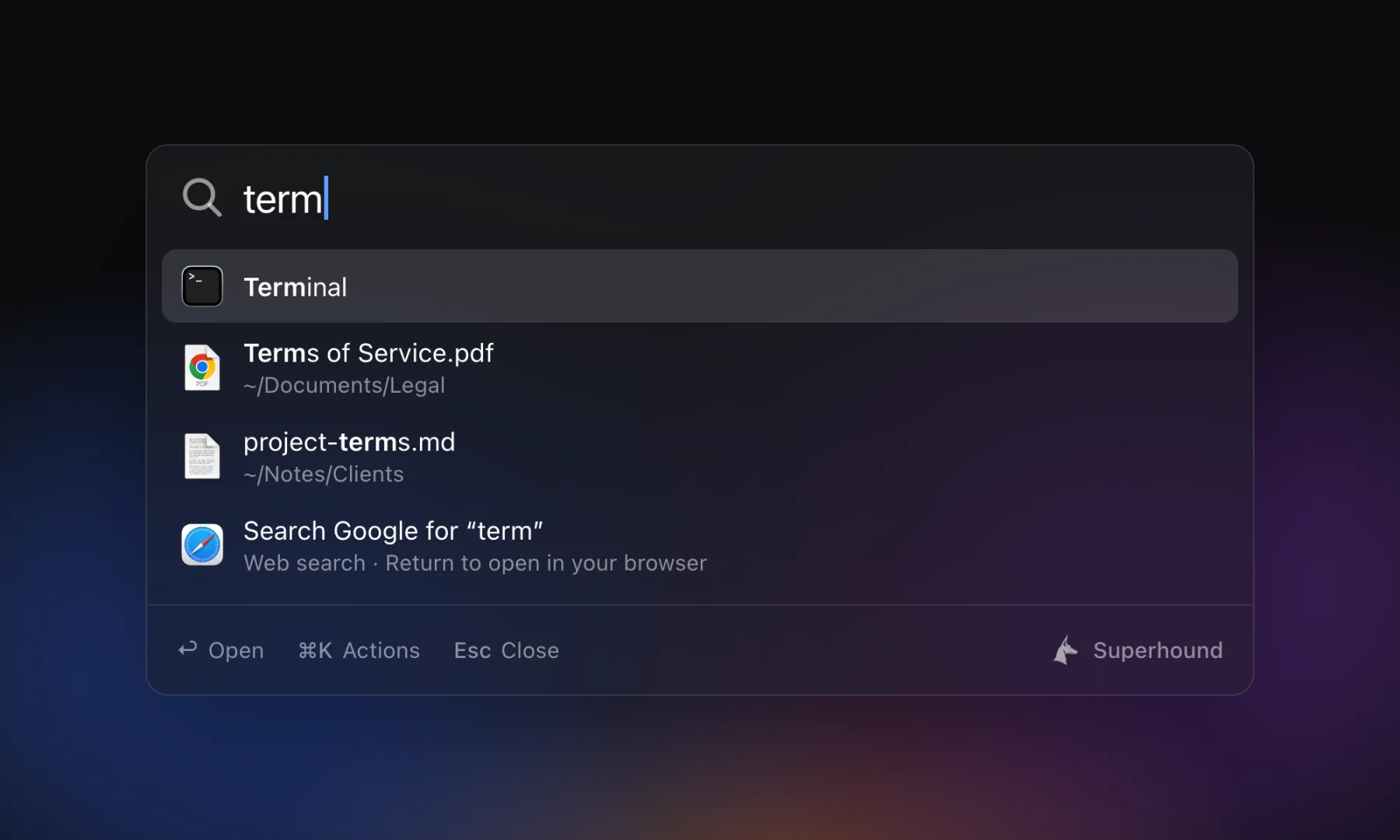
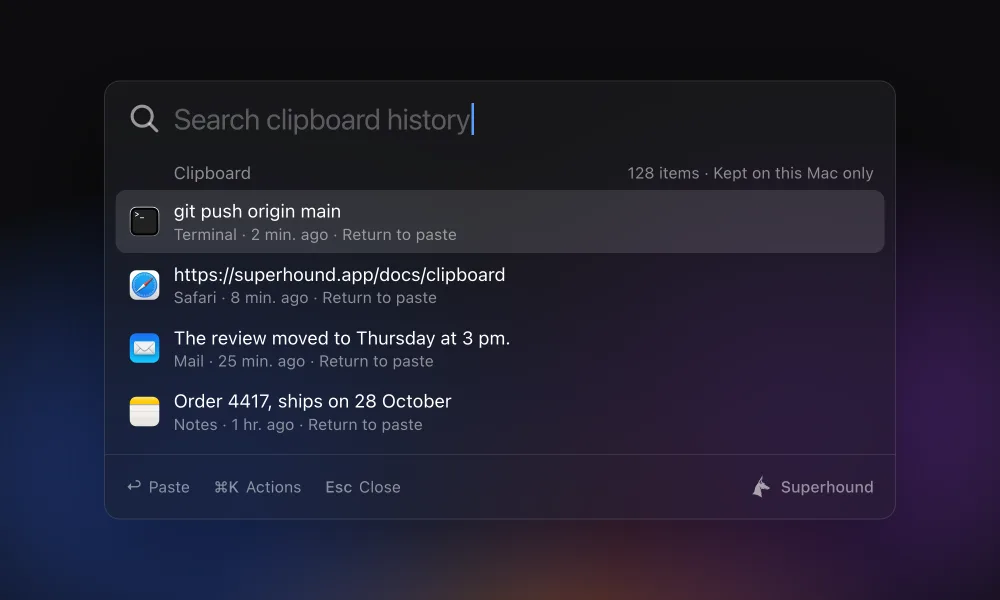
| Open an app with a typo | Find a file | Get back what you copied |
|---|---|---|
 |
 |
 |
Type safri, press Return. Safari opens. |
Type part of a name. Each file shows its folder. | Press ⌥⌘V, find the text, press Return to paste it. |


| ⚡ Ultrafast | Ranks 100,000 names in about 10 ms. Results are on screen about 23 ms after a key press. |
| 🛠️ Native | Objective-C and C on AppKit, with a search matcher in C. No Electron, no web views, no third-party dependencies. |
| 🪶 Light | A 0.7 MB download and 1.4 MB on disk. 39 MB of RAM after launch, with 48,000 files indexed. Under 0.2% CPU when idle. |
| 🔒 Private | Works offline. Reads file names, never file contents. No account, no tracking. |
| 🧠 Smart | Forgives typos, ignores accents, and learns which results you open. |
| 💸 Free | Every feature, with no time limit. A Supporter License, $10 once at launch (regular price $15) for 3 Macs, supports development. No subscription. |
| Superhound | Raycast | |
|---|---|---|
| 📦 Download | 0.7 MB | 112 MB |
| 💾 App on disk | 1.4 MB | 219 MB |
| 🪶 RAM when idle | 39 to 57 MB | 54 to 108 MB |
| 📡 Network in 13 idle minutes | None | 9 MB received, 40 KB sent |
| 🗂️ Data folder | 22 MB, including the index of 48,435 files | 123 MB, with no extensions |
| 🔓 Source code | Open source, AGPL-3.0 | Closed source; its extensions are open source (MIT) |
| 🍎 Needs macOS | 15 or later | 13 or later; Raycast 2 needs 26 |
Measured on 2026-10-23 on a MacBook Air with Apple M1, 16 GB of memory, and macOS 15.7.3, one run each. The Raycast numbers are for Raycast 1.104.32 with no extensions. Superhound used 39 MB of RAM after launch and 57 MB after 78 minutes. Raycast used 54 MB for its first 12 minutes, then 108 MB. Raycast does more: extensions, AI chat, snippets, and window management. See Superhound as a Raycast alternative.
| Type | Press Return to | |
|---|---|---|
| 🚀 Open apps and files | term, safri, notes.txt |
Open it |
| ⚙️ Go to System Settings | storage, displays, or settings for all panes |
Open the pane |
| 🧮 Calculate | 48*12, 15% of 240, 240 + 15% |
Copy the answer |
| 📏 Convert units | 5 km to mi, 72f to c |
Copy the answer |
| 🎨 Convert colours | #ff5733, rgb(255 87 51), hsl(11 100% 60%) |
Copy it as hex or rgb; ⌘K has every form |
| 🌐 Open websites | github.com, localhost:3000 |
Open it in your browser |
| 🔍 Search the web | Anything, in the last row | Search it with Google, or the engine you choose in Settings… |
| 😀 Find emoji | fire, happy, japan, or emoji for all |
Copy the emoji |
| 💤 Run commands | sleep, restart, mute, dark, empty trash, or commands for all |
Run it |
| 📋 Paste from clipboard history | Press ⌥⌘V | Paste it |
You need a Mac with Apple Silicon and macOS 15 or later. Paste this in Terminal (Applications → Utilities → Terminal) and press Return:
curl -fsSL https://superhound.app/install | shThe command downloads Superhound, checks it against the published SHA-256 checksum, puts it in ~/Applications, and opens it. It does not ask for your password. Read the script before you run it.
When it is done, Terminal shows Superhound is installed., a hound appears in your menu bar, and a Welcome window helps you choose a shortcut, add your folders, and try a first search. At first, Superhound searches apps only; it finds your files after you add their folders.
Superhound is free, with every feature and no time limit. The panel shows ♥ Become a Supporter, and a reminder every tenth time you open it. A Supporter License supports development: $10 once at launch (regular price $15), for 3 Macs, with a 14-day refund, at superhound.app. To activate, choose Enter License… from the menu bar.
What the install script checks, and why Terminal
- The Mac has Apple Silicon and macOS 15 or later.
- The download matches the SHA-256 checksum published with the release. This shows that you got the published file.
- The app's code signature is intact (
codesign --verify --strict).
If a check fails, the script stops before it changes anything.
The checksum is not an Apple check. Superhound is signed with its own certificate, and Apple has not notarized it. macOS blocks an app like this when a browser downloads it, but not when curl does. That is why the install runs in Terminal.
If the install fails
| Terminal shows | Do this |
|---|---|
needs a Mac with Apple Silicon or needs macOS 15 or later |
Superhound cannot run on this Mac. |
the download does not match the published checksum |
Run the command again. If it fails again, write to support@superhound.app. |
quit Superhound, then run this command again |
Choose Quit Superhound from the hound in the menu bar, then run the command again. |
If your files do not show up, add their folders in Settings… and click Allow when macOS asks.
Tip
Want Superhound on ⌘Space? See Open Superhound with ⌘Space.
| Key | Action |
|---|---|
| ⌘Space | Open Superhound (after the setup) |
| ⌥⌘V | Open clipboard history |
| ↑ ↓ | Select a result |
| Return | Open, run, copy, or paste the result |
| ⌘Return | Show a file in Finder. In clipboard history: copy only |
| ⌘K | All actions: Open With, Quick Look, Copy Path, Move to Trash, and more |
| ⌘Y | Quick Look |
| ⇧⌘C | Copy path |
| Tab or → | Keep the completion of the top result. Turn on Complete the top result as you type in Settings… first; it is off by default. |
| Esc | Close |
Click or tap a result to open it, and ⌘-click to show it in Finder. Right-click a result for the same actions as ⌘K. Click the logo at the bottom of the panel for the menu.
Superhound works offline. It makes only two kinds of network request:
- A daily update check. It carries no license key and no device ID. Turn it off with Check for Updates Automatically.
- License activation. It sends your license key and a one-way device ID to superhound.app, once.
Web addresses and web searches open in your browser, which loads the page. Superhound itself sends nothing for them.
Superhound reads file names, never file contents. All its data stays on your Mac in ~/Library/Application Support/Superhound/.
Is Superhound a Spotlight alternative?
Yes. Superhound opens apps, files, and System Settings panes like Spotlight, and it adds a calculator, unit conversion, emoji search, system commands, and a clipboard history. You can put it on ⌘Space in place of Spotlight.
How much does it cost?
Nothing. Every feature works with no time limit. It shows a reminder every tenth time you open the panel. A Supporter License supports development, removes the reminder, and shows ♥ Supporter in the panel: $10 once at launch (regular price $15), for 3 Macs. Refunds are open for 14 days, for any reason.
Does Spotlight still work?
Yes. Superhound changes Spotlight only if you turn on Use ⌘Space in place of Spotlight. Turning it off, or Uninstall Superhound…, gives ⌘Space back.
How do I get help?
Write to support@superhound.app, or read the docs. Bugs and ideas are welcome in GitHub issues.
Which Macs does it run on?
Macs with Apple Silicon (M1 or later) and macOS 15 or later.
Is it open source?
Yes. The full source is here under the AGPL-3.0 license. You can build it yourself.
Is it finished?
Superhound is an early version. It checks for updates once a day, and you install one with a click.
Open Superhound with ⌘Space
Open Settings… from the menu bar and turn on Use ⌘Space in place of Spotlight. Superhound turns off Spotlight's ⌘Space shortcut and takes ⌘Space.
To give ⌘Space back to Spotlight, turn the switch off. Superhound then moves to ⌥Space, or keeps its keys when ⌥Space is in use.
Search your folders
Superhound always searches your app folders. To search your own folders, add them in Settings…. No personal folder is added for you.
- Changes to files appear in a few seconds. Refresh Catalog scans everything now.
- It skips hidden items, the inside of packages, online-only files, and generated folders such as
node_modules. You can turn off the generated-folder rule. - Removing a location never deletes files.
You can change both shortcuts in Settings….
Clipboard history
Superhound keeps the last 500 pieces of text you copy, newest first. Press ⌥⌘V, or choose Clipboard History in the menu bar, then type to filter. A normal search of 3 or more characters also shows up to 2 matching copies.
It does not keep:
- copies that password managers mark as private
- copies from Keychain Access and Passwords
- text longer than 100,000 characters
Clear Clipboard History in the menu bar deletes it all.
Licenses
To activate, click Become a Supporter at the bottom of the panel, or choose Enter License… in the menu bar. To move a license to another Mac, choose Deactivate License… on the old Mac first. To get your key again, go to superhound.app/license.
Updates
Superhound checks for a new version once a day. When there is one, the panel shows Update to and the menu shows Update to…. Superhound downloads the update, checks that it has the Superhound signature, and opens again. It keeps the previous version in ~/Applications/.superhound-backup.*. To go back, quit Superhound and put that previous.app in place of ~/Applications/Superhound.app.
To turn off the daily check, turn off Check for Updates Automatically in the menu. Check for Updates… checks at once.
Permissions
| Permission | When macOS asks | Without it |
|---|---|---|
| Accessibility | When you paste from clipboard history | Return copies the text, and you paste it yourself |
| Automation for Finder, System Events, or the login window | The first use of a command such as Empty Trash or Restart | That command does not run |
Restart, Shut Down, and Log Out show the macOS confirmation first. Empty Trash asks first. Lock Screen uses a private macOS call that a later macOS can break.
Your data
| File | Content |
|---|---|
folders.plist |
Your search locations |
catalog.sqlite |
The list of indexed names. Safe to delete; Superhound builds it again. |
usage.plist |
The results you opened and what you typed for them |
clipboard.plist |
Your clipboard history, readable only by your macOS user |
license.plist |
Your license key and this Mac's activation, readable only by your macOS user |
performance.jsonl |
Timing records |
Uninstall
Choose Uninstall Superhound… in the menu bar. Superhound frees this Mac's license activation, gives ⌘Space back to Spotlight if it took it, deletes its settings and data, and moves itself to the Trash.
If the app does not open, paste this in Terminal. It does the same:
curl -fsSL https://superhound.app/uninstall | shIf you dragged Superhound to the Trash, Spotlight's ⌘Space stays off. Run the command above, or turn on Show Spotlight search in System Settings → Keyboard → Keyboard Shortcuts → Spotlight.
Build from source
You need the Apple Command Line Tools (xcode-select --install). Nothing else.
git clone https://github.com/PGHQdev/superhound.git
cd superhound
scripts/build.sh
scripts/install.sh .build/Superhound.app
open ~/Applications/Superhound.app
A build from source cannot update itself. To update it, pull the latest code, quit Superhound, and run the same build and install commands. It has a local signature, so macOS can ask for Accessibility again after you install a new build. If paste stops working, remove Superhound in System Settings → Privacy & Security → Accessibility and add it again.
Performance
Measured on an Apple M1 with macOS 15.
| Measure | Result |
|---|---|
| App size | 1.4 MB on disk (1,364 KiB); the program itself is 553 KB. The download is 0.67 MB. |
| RAM consumption when idle | 39 MB after launch and 57 MB after 78 minutes, in version 0.5.2 with 48,435 files indexed. The launch scan peaks higher, at 70 to 103 MB. The index grows with the number of files. |
| CPU when idle | 0.14% of one core over 120 seconds, panel closed |
| Ranking time across 100,000 names | 9.6 ms median, 20.3 ms at the 95th percentile |
| Key press to results on screen | 22.55 ms median over 127 searches, with 47,121 items |
The ranking time is the search code alone, in a synthetic benchmark that scripts/benchmark.sh runs. The key press time adds drawing the panel; it comes from daily use of an earlier build with measurePerformance on.
Code and tests
Superhound is written in Objective-C and C with AppKit, SQLite, and FSEvents. It has no third-party dependencies.
scripts/test.sh       # eleven test suites with AddressSanitizer and UndefinedBehaviorSanitizer
scripts/benchmark.sh  # search and catalog speed at 10,000 and 100,000 items
tests/install.sh # installer checks; quit Superhound first| Folder | Content |
|---|---|
core/ |
Search, ranking, scanning, the catalog, calculator, emoji, and clipboard history. No window code. |
app/ |
The panel, the settings window, shortcuts, and macOS actions |
tests/ |
Test suites for core/ and the installer |
bench/ |
Benchmark programs |
scripts/ |
Build, test, install, release, and benchmark |
AGENTS.md describes each file.
Copyright (C) 2026 PGHQdev. Superhound is free software under the GNU Affero General Public License, version 3. See LICENSE.
superhound.app · Made for the Mac 🐕