







Free IPTV channels and live webcams for Enigma2 receivers: thousands of TV channels from 170+ countries, browsable by country or category, plus live webcams from around the world. Featuring smart caching, search across TV and webcams, YouTube playback via yt-dlp and native Enigma2 bouquet export.
|
|
|
|
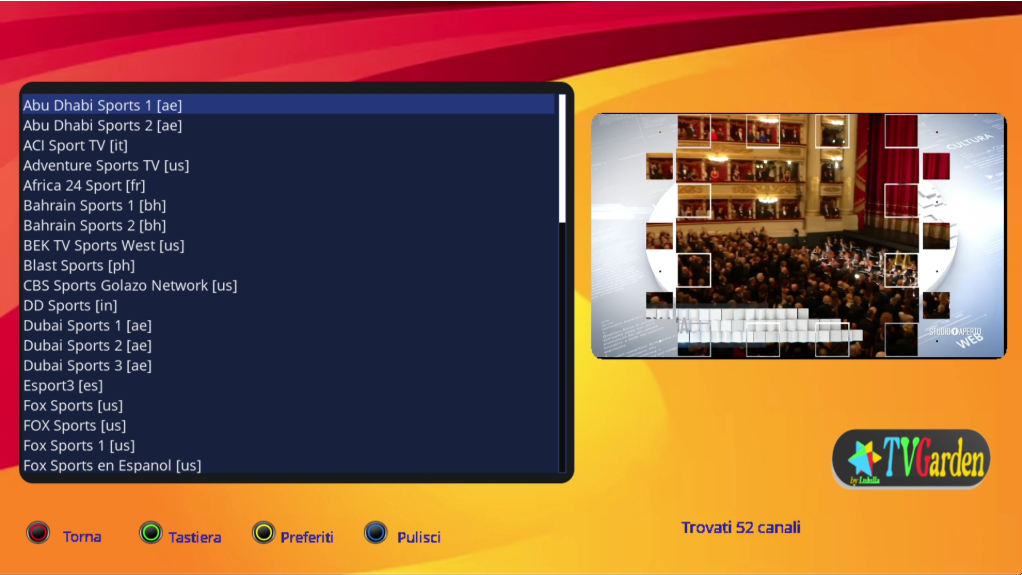
|
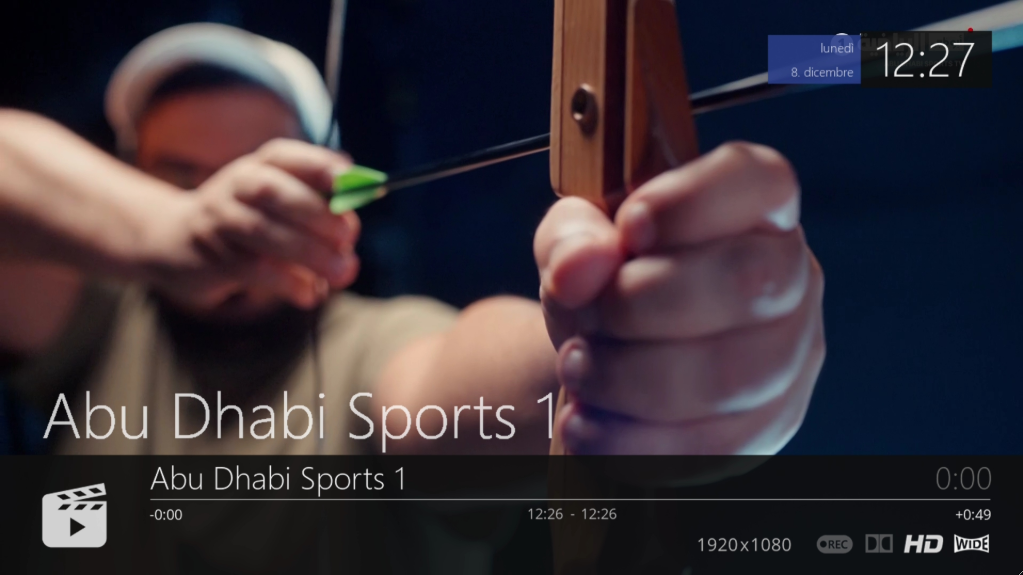
|
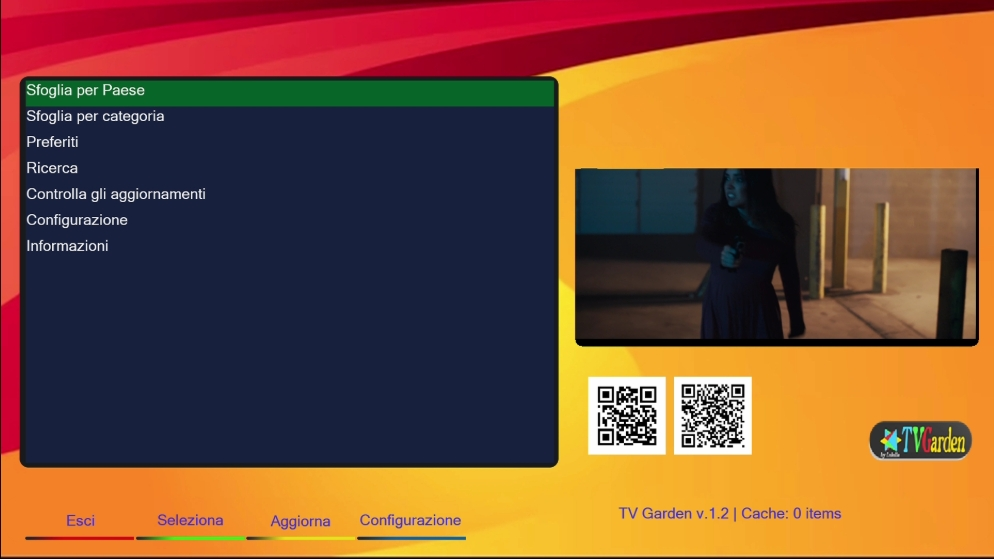
- TV channels by country (170+ countries, with flags) and by category
- Live webcams by country or by category
- Dynamic categories - read from the data source, no hardcoded lists
- YouTube channels and webcams - resolved with
yt-dlp(no JavaScript runtime needed)
- Player selection - Auto (Enigma2 default player), ExtePlayer3 or GStreamer (via ServiceApp)
- Channel zapping - CH+/CH- (or Up/Down) through the current list
- On-screen info - channel name, position and country
- Automatic retry - restarts a stream that ends unexpectedly (up to 3 times)
- Problematic streams filtered - DASH / DRM (Widevine, PlayReady) entries are skipped on export
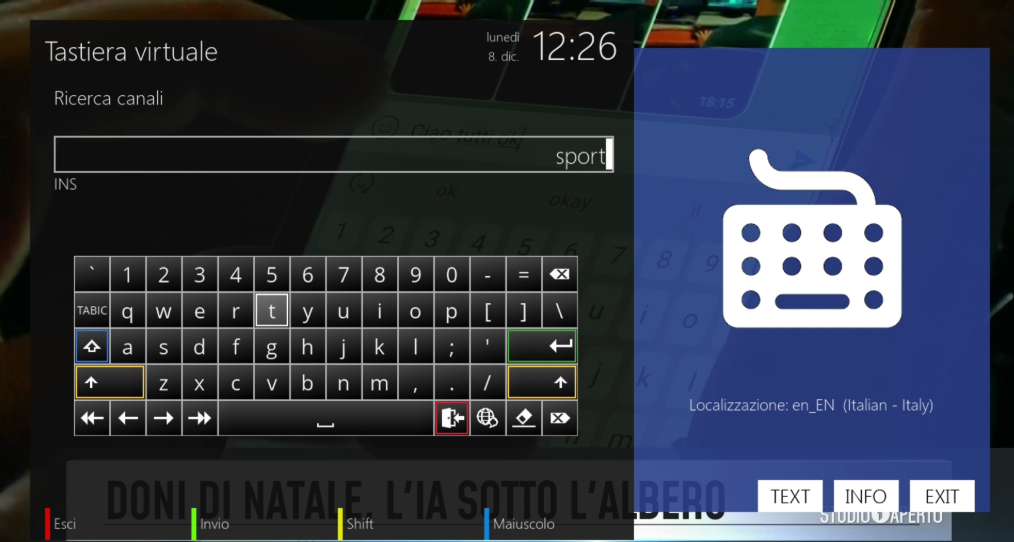
- Unified search across TV channels and webcams (
[TV]/[WEB]/[YT]labels) - Virtual keyboard (GREEN) or number keys (T9 style)
- Loads in the background - the screen stays responsive while data loads
- Favorites - add/remove from any channel list or from search
- Export - current list, favorites, single channel or the whole database
- Multi-file export - one container bouquet with a sub-bouquet per country, large countries split into parts
- Bouquet position - new bouquets added at the top or bottom of your list
- Clean removal - remove every TV Garden bouquet in one step
- Smart caching - configurable duration and size, works offline with cached data
- Auto skin detection - HD / FHD / WQHD
- Logging - configurable level, viewable from Settings
- Updates - check and install from the plugin, with automatic backup/restore
- Multi-language interface
| Component | Specification |
|---|---|
| TV Channels | About 6,800 (from 170+ countries; the data is updated regularly) |
| Webcams | About 4,000 |
| Categories | Read dynamically from the data source |
| Player Engines | Auto (4097) / ExtePlayer3 (5002) / GStreamer (5001) |
| YouTube | yt-dlp, android_vr client first (works without deno/node) |
| Cache | Disk cache in /tmp/tvgarden_cache, 15 min to 7 days, 10-5000 files |
| Skins | HD (1280x720), FHD (1920x1080), WQHD (2560x1440) |
| Python Compatibility | Python 3 only (Python 2 images are not supported) |
Python 3 images only. TV Garden does not run on Python 2 images (and yt-dlp, needed for YouTube channels and webcams, requires Python 3.9+).
The installer installs only what the plugin needs: ca-certificates and python3-yt-dlp.
The optional players and plugins are not installed automatically: installing them while
Enigma2 is running can upgrade libraries or image packages under the running GUI.
The installer lists the missing ones; install them from telnet/SSH and then restart:
opkg update
opkg install ca-certificates python3-yt-dlp
# optional
opkg install enigma2-plugin-systemplugins-serviceapp exteplayer3 gstplayer ffmpeg
opkg install enigma2-plugin-extensions-ytdlpwrapper
If your feed has no python3-yt-dlp package:
opkg install python3-pip && pip3 install -U yt-dlp| Package | Needed for | Installed by the installer |
|---|---|---|
ca-certificates |
Secure (HTTPS) downloads of data and updates | yes |
python3-yt-dlp |
YouTube channels and all webcams | yes (pip fallback) |
serviceapp, exteplayer3, gstplayer |
The ExtePlayer3 / GStreamer player options | only with EXTRAS=1 |
ffmpeg |
Some stream formats | only with EXTRAS=1 |
ytdlpwrapper |
Playing YouTube entries (webcams) from exported bouquets | only with EXTRAS=1 |
- Auto (default): plays with the standard Enigma2 player (service 4097). If ServiceApp is installed it may handle 4097 too, using the Player IPTV choice in Menu → Settings → System → ServiceApp.
- ExtePlayer3 / GStreamer: use ServiceApp directly (services 5002 / 5001). Without ServiceApp the plugin falls back to the standard player.
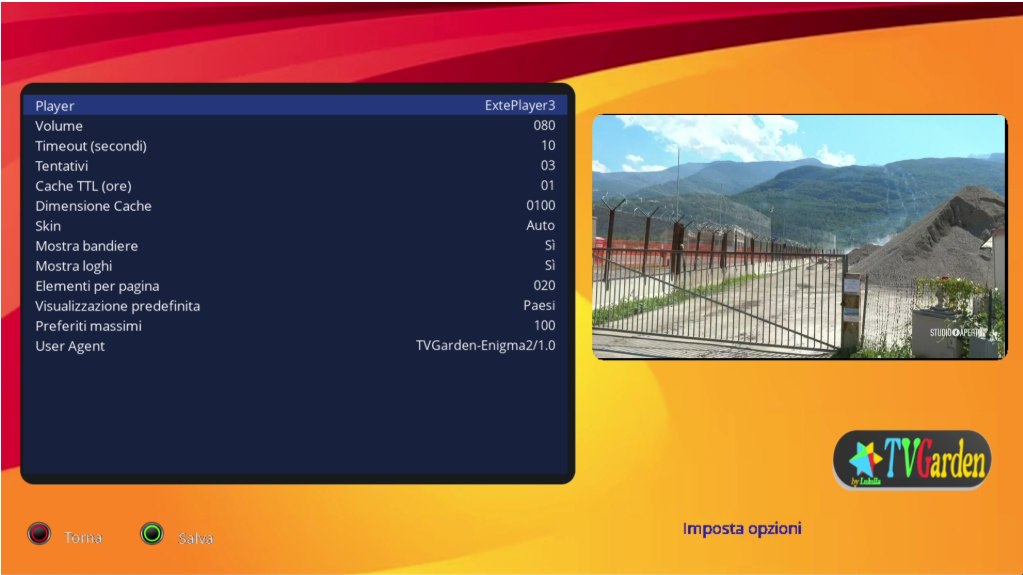
All options are in Main Menu → Settings (BLUE in the main menu).
They are stored in /etc/enigma2/tvgarden/config.json.
| Setting | Values | Default |
|---|---|---|
| Default View | Countries / Categories / Favorites (cursor position in the main menu) | Countries |
| Max channels for country | 100 - 5000, or All | 1000 |
| Show Flags | Yes / No | Yes |
| Show Logos | Yes / No | Yes |
| Setting | Values | Default |
|---|---|---|
| Player | Auto / ExtePlayer3 / GStreamer | Auto |
| Setting | Values | Default |
|---|---|---|
| Enable Export | Yes / No | Yes |
| List Position | Top / Bottom (where new bouquets go in your list) | Bottom |
| Bouquet Name Prefix | text | TVGarden |
| Max Channels for Bouquet | 50 - 5000, or All | 500 |
| Max Channels for Sub-Bouquet | 100 - 5000, or All (no split) | 500 |
| Setting | Values | Default |
|---|---|---|
| User Agent | text | TVGarden-Enigma2-Updater/<version> |
| Connection Timeout | 10 - 300 seconds | 30 |
| Setting | Values | Default |
|---|---|---|
| Enable Cache | Yes / No | Yes |
| Cache Duration | 15 min / 1 hour / 6 hours / 24 hours / 7 days | 1 hour |
| Cache Size | 10 - 5000 files | 500 |
| Refresh Method | Clear Cache / Force Refresh (what YELLOW "Refresh" does) | Clear Cache |
| Force Refresh on Browsing | Yes / No (always download fresh lists) | No |
| Force Refresh on Export | Yes / No (always download a fresh database) | No |
| Setting | Values | Default |
|---|---|---|
| Max Search Results | 10 - 5000, or All | 500 |
| Setting | Values | Default |
|---|---|---|
| Log Level | Debug / Info / Warning / Error / Critical | Info |
| Log to File | Yes / No | Yes |
| View Log File / Clear Log Files Now | press OK |
Check for Updates is also available at the bottom of Settings.
Browse by Country      - TV channels by country
Browse by Category     - TV channels by category
Webcams by Country     - Live webcams by country
Webcams by Category    - Live webcams by category
Favorites              - Your saved channels
Search                 - Search across TV + webcams
Settings               - Plugin configuration
Check for Updates      - Check for plugin updates
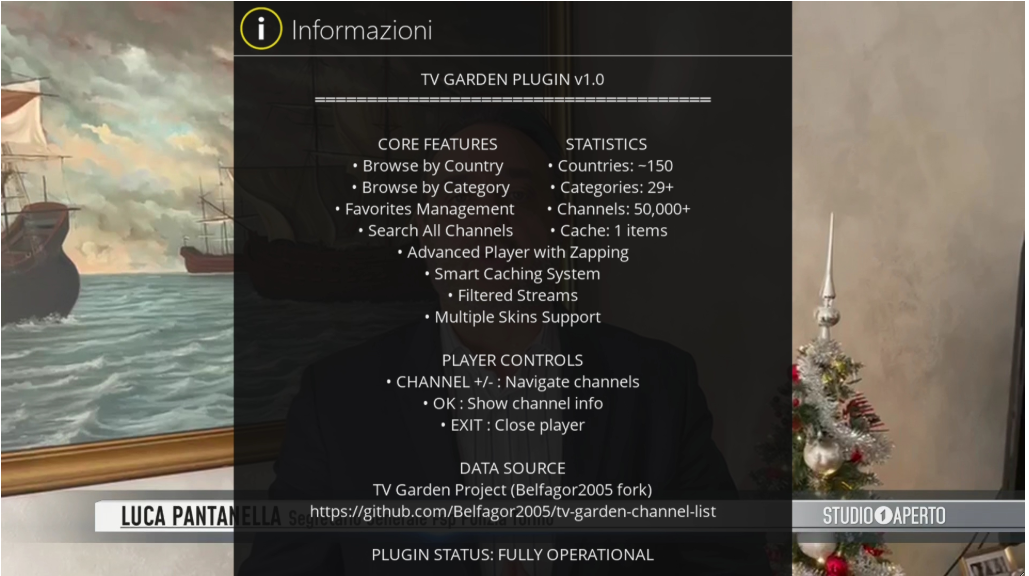
About                  - Plugin information
Main menu keys: OK/GREEN select, YELLOW refresh data, BLUE settings, RED/EXIT close.
OK / GREEN      - Open the selected country or category
YELLOW          - Refresh the list
EXIT / RED      - Back
OK / GREEN      - Play selected channel
YELLOW          - Add / remove favorite
BLUE            - Export the current list to a bouquet
MENU            - Channel menu (play, favorite, info, export)
EXIT / RED      - Back
OK / GREEN      - Play selected channel
YELLOW          - Options (info, remove, clear all, export, export database, remove bouquets)
BLUE            - Export all favorites to a bouquet
EXIT / RED      - Back
GREEN           - Virtual keyboard
0-9             - Type with number keys (T9 style)
OK              - Play selected result
YELLOW          - Add / remove favorite
BLUE            - Clear search
EXIT / RED      - Back
CHANNEL +/- (Up/Down) - Zap between channels
OK              - Show / hide the info bar
INFO            - Channel information
EXIT / STOP     - Close player
YouTube channels and webcams show "Resolving YouTube stream..." first; on a receiver this can take 10-60 seconds.
- Max channels for country: 250-500 for faster loading on slow receivers
- Cache: keep it enabled; use YELLOW "Refresh" when you want fresh data
- Whole database export: use the Multi-File option, it keeps Enigma2 fast
- Current list (BLUE in a channel list):
userbouquet.tvgarden_<country or category>.tv(webcams:userbouquet.tvgarden_webcams_<country or category>.tv) - Favorites (BLUE in Favorites):
userbouquet.tvgarden_<prefix>_favorites.tv - Whole database, single file:
userbouquet.tvgarden_<prefix>_all_channels.tv - Whole database, multi-file:
userbouquet.tvgarden_<prefix>_complete_container.tv(parent)subbouquet.tvgarden_<country>.tvfor each country- countries larger than Max Channels for Sub-Bouquet are split (
_part1,_part2, ...)
- YouTube entries (all webcams) are exported as
youtube.com/watchlinks; they play from the bouquet only with ytdlpwrapper (enigma2-plugin-extensions-ytdlpwrapper, optional, see Requirements). The whole-database export skips them - Bouquets are reloaded automatically; all files are in
/etc/enigma2/
# Install (or update) with the installer script - recommended
wget -q --no-check-certificate "https://raw.githubusercontent.com/OwnerPlugins/TVGarden/main/installer.sh" -O - | /bin/sh

# Restart the Enigma2 GUI
killall -9 enigma2
The installer installs ca-certificates and yt-dlp, downloads the plugin over
verified HTTPS and prints a summary, including the yt-dlp version and the
optional packages that are missing.
To also install the optional players and plugins (run it from telnet/SSH):
wget -q --no-check-certificate "https://raw.githubusercontent.com/OwnerPlugins/TVGarden/main/installer.sh" -O - | EXTRAS=1 /bin/shCheck for Updates inside the plugin only replaces the plugin files; it never installs or upgrades other packages.
To test another branch (for example develop):
wget -q --no-check-certificate "https://raw.githubusercontent.com/OwnerPlugins/TVGarden/develop/installer.sh" -O - | BRANCH=develop /bin/sh--no-check-certificate is needed because the wget of many images cannot verify
HTTPS certificates. The installer then downloads the plugin with certificate
verification whenever the box supports it (wget, curl or Python), and only falls
back to an unverified download, with a warning, when none of them can.
If nothing happens at all, check that the receiver can reach GitHub
(ping raw.githubusercontent.com).
Channel and webcam data comes from an external public dataset:
➡ https://github.com/OwnerPlugins/famelack-data
Sources are organized as:
tv/raw/countries_metadata.json     → country list (names, channel counts)
tv/raw/countries/{code}.json       → TV channels by country
tv/raw/categories/{id}.json        → TV channels by category
tv/raw/categories/all.json         → all TV channels (search, database export)
webcams/raw/...                    → same structure for webcams
Each channel lists its streams under sources (streams, youtube, ...).
Categories are read dynamically from the GitHub API (cached, so the
API's hourly request limit is not a problem in normal use).
TVGarden/
├── __init__.py
├── plugin.py          - main menu
├── helpers.py         - URLs, stream parsing, bouquet helpers, logging
├── browser/           - countries, categories, channels, favorites, search, about
├── player/            - player screen
├── utils/             - cache, config, favorites, settings, updater, yt-dlp helper
├── skins/             - hd / fhd / wqhd
├── images/, icons/
└── locale/            - translations
- Downloaded lists are stored gzip-compressed in
/tmp/tvgarden_cache/ - Expire after the configured Cache Duration; damaged files are downloaded again
- The cache is kept between sessions (until the receiver restarts or you refresh)
- Service type follows the Player setting (4097 / 5002 / 5001)
- YouTube links are resolved with yt-dlp in the background
- Flags, logos, YouTube resolution, search loading and database exports run in the background
- TV + Webcams - unified search across both sources
- Virtual keyboard or number keys
- Matches channel name, description, group and source (
tv/webcams) - Configurable limit - 10 to 5000 results, or all (default: 500)
- Cache-aware - uses cached data when available
- Unlimited favorites, no duplicates (checked by stream URL)
- Export to a bouquet, single or all
- Safe storage - a damaged favorites file is kept as
favorites.json.broken_<time>instead of being overwritten
File: /etc/enigma2/tvgarden/favorites/favorites.json
[
  {
    "id": "unique_hash",
    "name": "Channel Name",
    "stream_url": "https://...",
    "country": "it",
    "added": 1734567890
  }
]| Issue | Solution |
|---|---|
| "YouTube stream not available" | Read the reason under the message. "yt-dlp is not installed": opkg install python3-yt-dlp (or pip3 install -U yt-dlp). Other errors: update yt-dlp with pip3 install -U yt-dlp |
| Channels not loading | Check the internet connection, press YELLOW (Refresh), check the log |
| Player shows nothing | Try another channel (many free streams go offline), or another Player in Settings |
| ExtePlayer3/GStreamer option has no effect | Install enigma2-plugin-systemplugins-serviceapp |
| Only "All" in categories | GitHub API not reachable or rate limited; try again later |
| Bouquets not appearing | Restart the Enigma2 GUI |
| Certificate errors on install/update | opkg install ca-certificates |
- Refresh: YELLOW in the main menu, Countries or Categories
- Always fresh data: enable "Force Refresh on Browsing/Export" in Settings
- Location:
/tmp/tvgarden_cache/
- View Logs: Settings → View Log File
- Log Level: set to Debug in Settings when troubleshooting
- Location:
/tmp/tvgarden_cache/tvgarden.log - YouTube problems:
grep YouTube /tmp/tvgarden_cache/tvgarden.log | tail - Crash at start:
/tmp/tvgarden_crash.log
TV Garden Plugin for Enigma2
Copyright (C) 2025 TV Garden Development Team

This program is free software: you can redistribute it and/or modify
it under the terms of the GNU General Public License as published by
the Free Software Foundation, either version 3 of the License, or
(at your option) any later version.

This program is distributed in the hope that it will be useful,
but WITHOUT ANY WARRANTY; without even the implied warranty of
MERCHANTABILITY or FITNESS FOR A PARTICULAR PURPOSE. See the
GNU General Public License for more details.

You should have received a copy of the GNU General Public License
along with this program. If not, see <https://www.gnu.org/licenses/>.
- Original Concept: Lululla (TV Garden Project)
- Upstream Fork: Belfagor2005
- Data Source: https://github.com/OwnerPlugins/famelack-data
- Fork & Webcams Support: OwnerPlugins
- Enigma2 community for testing & feedback
- All contributors and translators
- Fork: https://github.com/OwnerPlugins/TVGarden
- Data Source: https://github.com/OwnerPlugins/famelack-data
Enjoy streaming with TV Garden! 📺
Last Updated: 2026 | Version: 3.0