





Engineering student exploring the meeting point of embedded firmware, electronics, IoT, robotics, and practical software.
I like projects where the whole chain matters: understand the problem, choose the hardware, check power and signal limits, build the firmware, make the interface useful, then document what actually works. I try to distinguish implemented features from plans and unverified assumptions.
| Area | Tools and topics |
|---|---|
| Embedded firmware | C/C++, ESP32 family, Arduino-compatible boards, GPIO, PWM, interrupts |
| Sensors and interfaces | I²C, SPI, UART, ToF distance sensors, temperature/humidity, current/voltage sensing |
| Connected systems | Wi-Fi, BLE, ESP-NOW, lightweight HTTP/JSON dashboards |
| Robotics | Line-following, obstacle detection, motor control, real-time sensor handling |
| Electronics | Power budgeting, protection, component selection, PCB layout and trace-width estimates |
| Development | Python, Git, GitHub Actions, Arduino IDE, Windows/Linux |
This is a list of areas I work with or explore, not a claim of equal proficiency in every tool.
| Project | What it explores |
|---|---|
| SAFE-X | PPE-compliance and worker-access prototype combining computer vision, a dashboard, and RFID workflows |
| SAFFRON-AERO | Offline ESP32 climate-control work for saffron cultivation, phase-based settings, and recovery planning |
| Electronics & PCB Mentor | Electronics reference guides, component-selection notes, power and PCB fundamentals, and a Python trace-width estimator |
| AccidentGuard | Embedded/IoT safety-oriented project |
| SolarGuard Pro | Wireless solar-farm monitoring concept |
| GreenHouse-IQ | Smart irrigation and greenhouse monitoring |
| ESP32 DC Power Monitor | Voltage/current monitoring with OLED and Wi-Fi dashboard; firmware updates currently use USB/serial, not OTA |
| BPUT Line-Following Robot | Competition-oriented line-following robot work |
| Wireless Lyrics Display | Wireless display experiment |
Project maturity varies. Open each repository's README for its latest implementation state, wiring, dependencies, known limitations, and evidence of testing.
These cards are generated by third-party services and can occasionally be unavailable or rate-limited. Language distribution is not a measure of engineering proficiency.
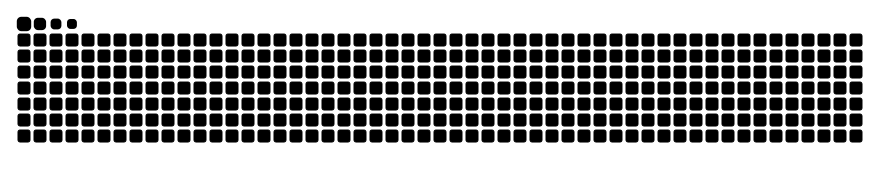
The repository's GitHub Actions workflow generates the contribution animation on pushes to main, on a daily schedule, and when manually dispatched. It publishes generated images to the output branch.
- Define the requirement. Identify inputs, outputs, constraints, cost, and what success means.
- Check the hardware first. Verify pinouts, logic levels, current draw, heat, connector ratings, and component datasheets.
- Build in small steps. Test power, interfaces, sensors, actuators, and firmware incrementally.
- Record evidence. Separate a calculated estimate from a simulation, a bench measurement, and a feature that has not yet been tested.
- Document the hand-off. Keep wiring, BOM, setup, known limitations, and recovery steps close to the code.


- Last updated: 28 November 2026
- Review scope: Profile README, selected project links, animation assets, and contribution-animation workflow.
- Changes: Added a self-hosted animated header/footer, a typing effect, profile badges, project navigation, optional GitHub activity cards, and an automatically regenerated contribution snake.
- Verification: Selected repository links were checked through GitHub metadata. The workflow must complete successfully before the contribution-snake images are available. No application code or hardware behaviour is tested by this profile repository.
Questions, corrections, or collaboration: carmodbhai@gmail.com.