日本語 | 简体中文 | Deutsch | Français | 한국어
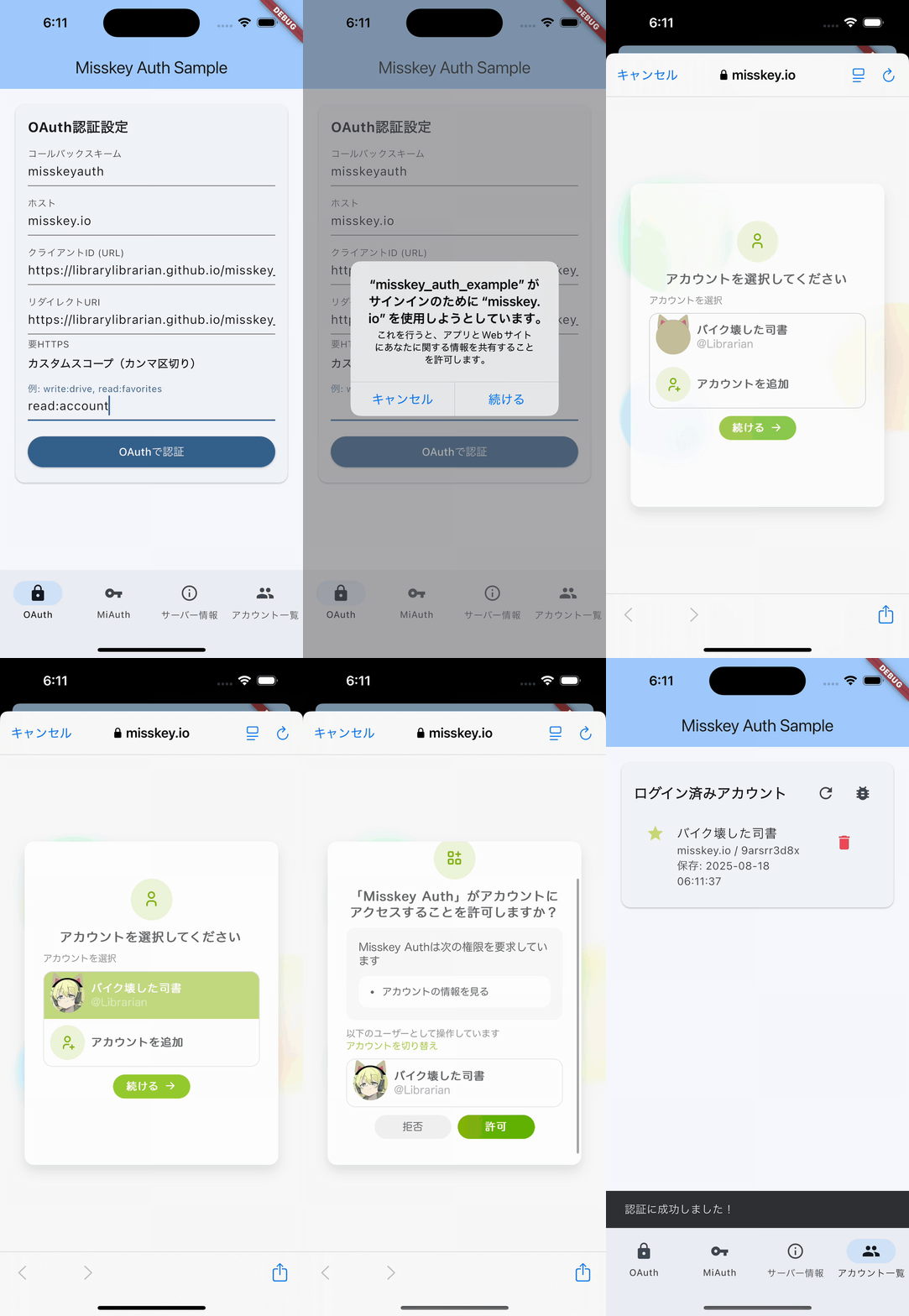

A Flutter library for authenticating with Misskey servers. It supports both OAuth 2.0 and MiAuth, and stores tokens for multiple accounts.
- OAuth 2.0 authentication for Misskey servers (v2023.9.0 and later)
- MiAuth authentication for older servers
- Authentication in the external browser (no embedded WebView)
- PKCE (Proof Key for Code Exchange)
- Callbacks to the app through a custom URL scheme
- Secure token storage using
flutter_secure_storage - Token storage for multiple accounts and switching the active account
MisskeyAuthManager, a high-level API that runs the flows and saves tokens- iOS, Android, and macOS
- Flutter 3.47.1 or later, and Dart 3.13.1 or later (before Dart 4)
- Android API 24 or later, with compileSdk 37 or later
- iOS 15 or later
- macOS 12.0 or later
If you are upgrading from an earlier version, read Upgrading first. On Android, users must sign in again.
dependencies:
misskey_auth: ^0.2.0-beta.2import 'package:misskey_auth/misskey_auth.dart';
final auth = MisskeyAuthManager.defaultInstance();
// OAuth (Misskey v2023.9.0 and later)
final oauthKey = await auth.loginWithOAuth(
MisskeyOAuthConfig(
host: 'misskey.io',
clientId: 'https://yourpage/yourapp/',
redirectUri: 'yourscheme://oauth/callback',
scope: 'read:account write:notes',
callbackScheme: 'yourscheme',
),
setActive: true,
);
// MiAuth (also works on older servers)
final miKey = await auth.loginWithMiAuth(
MisskeyMiAuthConfig(
host: 'misskey.io',
appName: 'Your App',
callbackScheme: 'yourscheme',
permissions: ['read:account', 'write:notes'],
),
setActive: true,
);
// Read the saved token of the active account
final current = await auth.currentToken();Before this code works, you need two things:
- A client_id page (OAuth only). Publish an HTTPS page that lists your
redirect_uriin<link rel="redirect_uri">. See client_id Page. - A custom URL scheme registered in your app. Add
yourschemetoInfo.pliston iOS and toCallbackActivityofflutter_web_auth_2on Android. macOS needs no registration, but it needs entitlements for network access and the keychain. See Platform Setup.
- Guide: https://librarylibrarian.github.io/misskey_auth/
- API reference: https://pub.dev/documentation/misskey_auth/latest/
- Changelog: CHANGELOG.md
- Misskey documentation: OAuth / MiAuth
This project is published by 司書 (LibraryLibrarian) under the 3-Clause BSD License. See LICENSE.