

A partner for any ability level — she drives this computer to finish the goal you set.
Download for Windows · Download for macOS · Install on Linux · Owner’s manual · What’s new · Download
Not a medical product. F1 (or Ctrl+/) opens the same Help wiki inside the app.
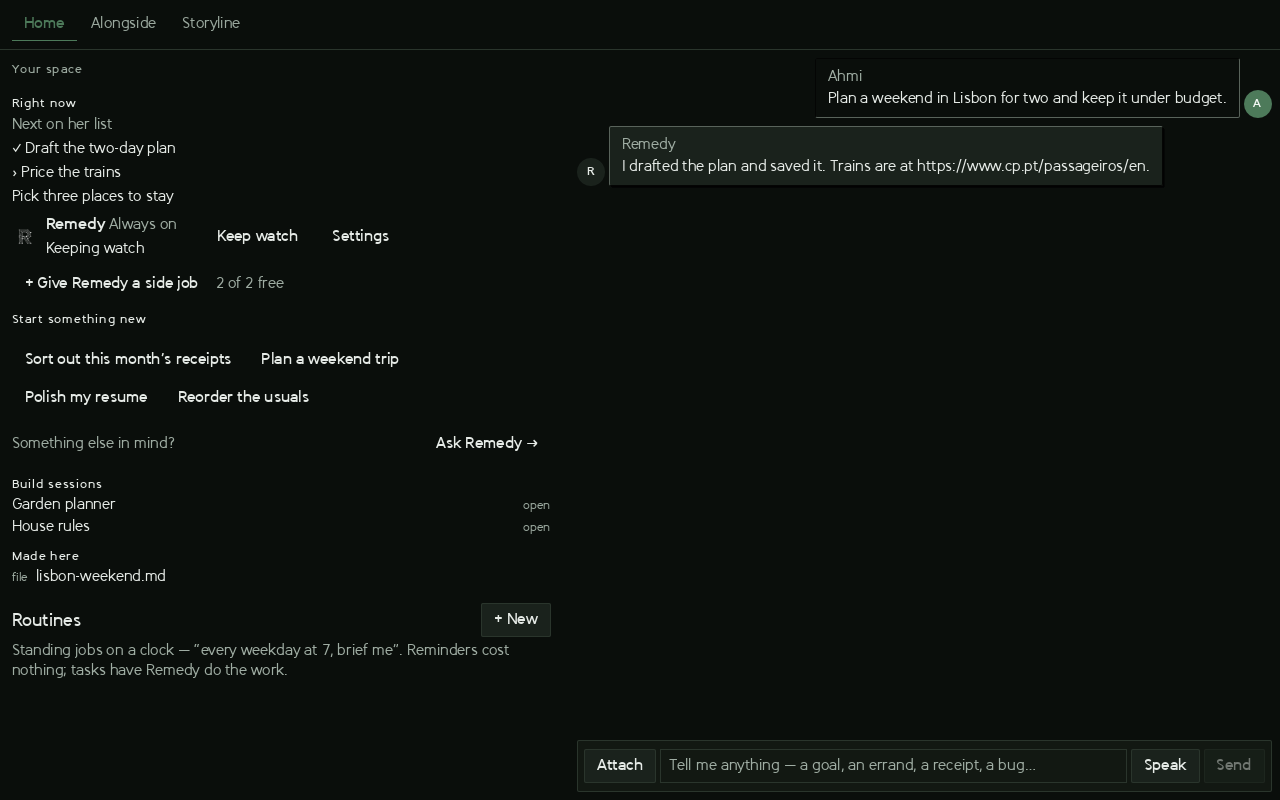
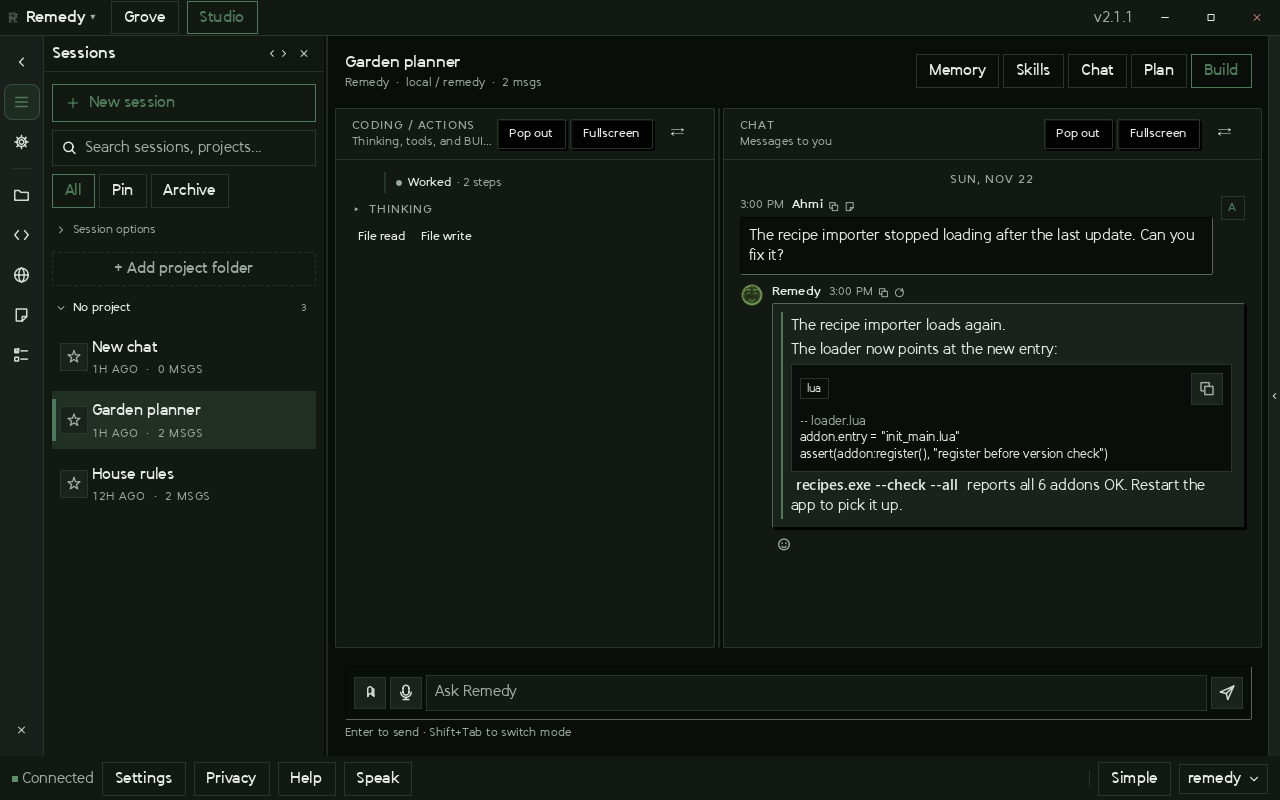
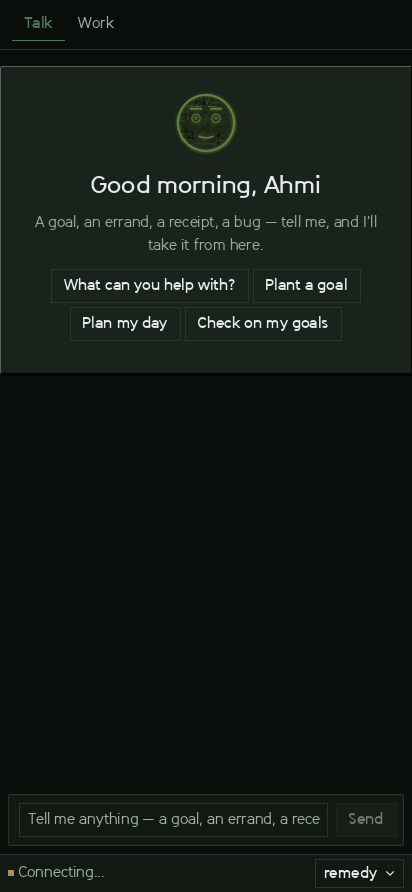
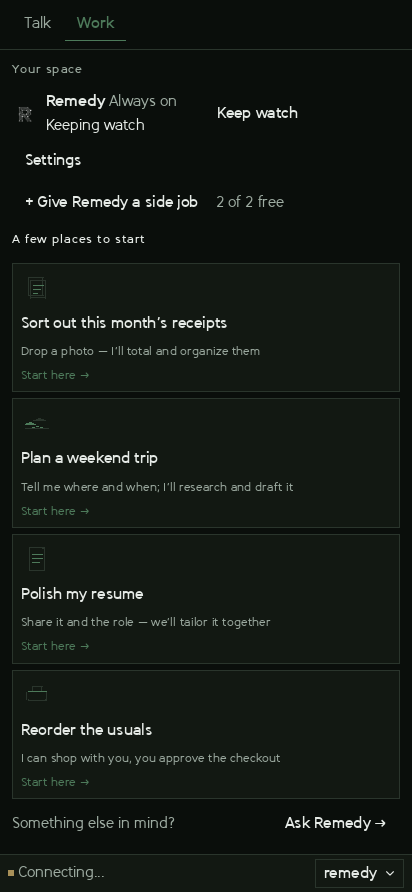
Remedy lives on this computer. The Desktop app runs on Windows x64, Linux (including WSLg), and macOS (Apple Silicon and Intel). The CLI also runs on Windows ARM64 and Linux ARM64. Grove is home. Studio is the workbench. The phone app (Android) pairs with your PC and shows the same Remedy. Continuity is ~/.remedy. You bring the model (cloud keys or RMB locally). Money, passwords, submit, send, and delete stop for you.
New in 2.1.1: a face of her own, the same on every screen; connectors (MCP servers such as GitHub, added in Settings → Connections → Connectors); a conversation that flows in order with timestamps; faster long chats; and no Python anywhere. What’s new.
| Latest release |  |
Source on master |
 · What’s new |
| Owner’s manual | docs/manual/ · index |
| Install | Windows · Linux · macOS Desktop from Releases · no desktop: scripts/install.sh / scripts/install.ps1 |
| Security / data | 04-security-and-data |
| Commands / keys | 11-reference-commands · 12-reference-shortcuts |
| Changelog | CHANGELOG.md |
Local API: 127.0.0.1:7400. Close ✕ hides to the tray on Windows, the menu bar on macOS, and minimizes on Linux/WSLg. On a machine without a desktop, the install script downloads a checksum-verified remedy-runtime and remedy_core for this OS from GitHub Releases.
Reasoning effort, thinking budget, max output tokens, and context window can be set for all models or per model (Settings → Reasoning and context, remedy settings set reasoning_effort=high, or config.toml). Unset keeps each provider's default. See Reasoning effort and context.
From the creator: My name is Ahmi, I hope you enjoy my Remedy.
Sample data throughout.
| Grove, the home screen | Studio, for building |
|---|---|
 |
 |
| Phone: talk | Phone: work |
|---|---|
 |
 |
flowchart LR
  desk[Desktop app<br/>Grove · Alongside · Studio] --> rt
  phone[Phone app<br/>paired over Grove Connect] --> rt
  cli["CLI: remedy serve"] --> rt
  rt[remedy-runtime, Go<br/>127.0.0.1:7400] --> helpers[Native helpers<br/>voice · vision · local search]
  rt --> zig[Zig capability core<br/>checks before it acts]
  rt --> home[(~/.remedy<br/>memory · state · events)]
  rt --> gw[Gateway<br/>Telegram · Discord · Slack · more]
  rt --> claim[ClaimIDX host<br/>known fixes for agents]
  rt --> mcp[Connectors<br/>MCP servers you add]
  rt --> model{{Your model<br/>cloud key or local RMB}}
Details: docs/ARCHITECTURE.md.
These are the platforms with published assets on the latest GitHub release. The table lists only triples that shipped and whose checksums were verified against remedy-native-SHA256SUMS.txt. From 0.69.0 the main release lists only the Desktop installers and latest.json. The CLI runtime files, macOS updater tarballs, and signatures are on a runtime-v<version> companion prerelease, which the install script downloads from.
| Platform | Desktop app | Install script (no desktop) |
|---|---|---|
| Windows x64 | Yes — Remedy.Desktop_*_x64-setup.exe |
Yes |
| Windows ARM64 | — | Yes |
| Linux x86_64 | Yes — AppImage and .deb |
Yes |
| Linux arm64 | — | Yes |
| macOS arm64 (Apple Silicon) | Yes — unsigned Remedy.Desktop_*_aarch64.dmg |
Yes |
| macOS x86_64 (Intel) | Yes — unsigned Remedy.Desktop_*_x64.dmg |
Yes |
| Android (arm64) | Phone app — Remedy.Connect_arm64-v8a.apk, paired with a PC running Remedy | — |
There is no Windows ARM64 Desktop installer in this release. macOS builds are ad-hoc signed and not notarized. The phone app is sideloaded (no store listing); Settings → Connect → Get the phone app shows a QR code for it.
Windows x64 (Desktop). Download Remedy.Desktop_*_x64-setup.exe, run the installer, and launch from the Start Menu or the desktop shortcut. Details: Install on Windows.
Linux x86_64 (Desktop). From the same Releases page:
.deb(Debian/Ubuntu):sudo apt install ./Remedy.Desktop_*_amd64.deb- AppImage:
chmod +x Remedy.Desktop_*.AppImage && ./Remedy.Desktop_*.AppImage
Details: Install on Linux.
macOS (Desktop, Apple Silicon and Intel). From the same Releases page, download Remedy.Desktop_*_aarch64.dmg (Apple Silicon) or Remedy.Desktop_*_x64.dmg (Intel). Open the disk image and drag Remedy Desktop to Applications. This build is unsigned (ad-hoc codesign, no Apple notarization). First launch: right-click the app and choose Open, or clear quarantine:
xattr -dr com.apple.quarantine "/Applications/Remedy Desktop.app"In-app updates use the minisign-signed .app.tar.gz from the same release.
CLI on Windows (x64 and ARM64), Linux (x86_64 and arm64), and macOS (arm64 and x86_64):
sh scripts/install.sh        # Linux, macOS
.\scripts\install.ps1      # Windows (PowerShell)
remedy serve
The script downloads the checksum-verified remedy-runtime / remedy_core pair for this OS from the runtime-v<version> GitHub release (verified against remedy-native-SHA256SUMS.txt), installs it for the current user, and adds the remedy command. Then open http://127.0.0.1:7400. No Go or Zig toolchain is required. HQ voice reference clips download into ~/.remedy/voice/references/ on first use. Run the script again to update.
git clone https://github.com/AhmiDarrow/RemedyAI.git && cd RemedyAI
cd native/go && go test -race ./... && go vet ./...     # Go runtime
cd ../zig && zig build test -Doptimize=ReleaseSafe      # Zig core
cd ../../desktop/remedyui && cargo test                 # desktop app (RemedyUI)
cd ../../connect/app && cargo test                      # phone app
cargo remedy package --target android                   # build the phone app APK
Before a push, run the local gate: uv run python scripts/prepush.py
(enable the hook once per clone with git config core.hooksPath .githooks).
The gate runs the checks above for the parts of the tree you changed.
CI has three workflows in .github/workflows: the desktop release, the
RemedyUI desktop package, and the release-asset check.
Version / help / docs / sanitize gates: scripts/sync_version.py · scripts/sync_help_manual.py · scripts/check_docs.py · scripts/check_sanitize.py.
Contributing: CONTRIBUTING.md · signing: WINDOWS_SIGNING.md
Apache License 2.0 — LICENSE · NOTICE
Free to use, modify, and redistribute, including commercially. Use is at your own risk; see TERMS. Third-party notices: desktop/public/THIRD_PARTY_NOTICES.txt.
Copyright © 2025–2026 Ahmi Darrow.
"Hope this helps" - Ahmi